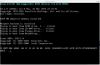
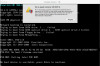
I recently downloaded Parallels 10 for the first time in my Mac already working with OS Yosemite 10.10.3 and was unable to install OS Wndows 7pro32bits. Despite "reading" authomatically the Win7 installation CD from the optical drive, recognising OS Win7 in it and after introducing the activation key that I was asked for, no installation begins but an MS-DOS window is displayed trying unsuccesfully to boot from any drive and in the end it says "unable to boot" and then "this virtual machine has no OS intalled". Also tried to create an .iso image of my intallation cd, however Parallel's wizard would'nt even recognize any OS in it and no activation key is asked to fill in, working worst as the first option. I also tried:
-Changing connection point of optical drive entering to the Virtual Machine hardware CD/DVD 1 drive configuration (before installation) and trying to connect this drive to "DVD-CD predeterminated" instead of the default one. A message is displayed: "unable to connect CD/DVD 0".
- Changing the location of the drive from SATA to IDE 0:0
Nothing worked, the wizard is still unable to boot from any drive and proceed with the installation.
Colud it be possible Parallels 10 isn't working with Yosemite 10.10.3? Any solutions? Anyone installed sucessfully trough Parallels 10 an OS Windows running at the time of installation OS Yosemite 10.10.3?
-Changing connection point of optical drive entering to the Virtual Machine hardware CD/DVD 1 drive configuration (before installation) and trying to connect this drive to "DVD-CD predeterminated" instead of the default one. A message is displayed: "unable to connect CD/DVD 0".
- Changing the location of the drive from SATA to IDE 0:0
Nothing worked, the wizard is still unable to boot from any drive and proceed with the installation.
Colud it be possible Parallels 10 isn't working with Yosemite 10.10.3? Any solutions? Anyone installed sucessfully trough Parallels 10 an OS Windows running at the time of installation OS Yosemite 10.10.3?