Mac System Preferences | Network List

Dave Trautman

Bit poster
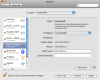
It wasn't until I noticed on my sister's MacBook (helping with some troubleshooting) that I realized I no longer have the "Parallels" items on my list. Now I could just slap my forehead for removing/deleting them with the little minus sign at the bottom of the list, but I think after I do that I'd like to know how I could restore or put them back.

My recent use of my Windows and Ubuntu VMs have begun to give me trouble with accessing my WiFi and I have a sneaking suspicion these missing items may have something to do with that trouble.

I have Airport, Ethernet, FireWire, a couple of Bluetooth, and a VPN on my list. I think I used to have a couple of Parallels items there - but not any more.

Could some kind soul help me sort this out? I'm even ready to accept "Reinstall Parallels for Desktop" again. But if there is a secret or somewhat ordinary way of putting them back I'd like to hear about it before I kick myself around the block.
 

Attachments

  • Network_panel_image.jpg
    Network_panel_image.jpg
    49.8 KB · Views: 10
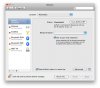
After uninstalling Parallels and reinstalling version 5 again I find no change. However there are a couple of things which have me mystified. In an instruction document on the Parallels web site there is some discussion of setting for the Parallels network extensions in the Mac System Preferences. (image attached for illustration) and on the list there are two Parallels Host-Only Networking Adapter items as well as a Parallels NAT item too.

I'm wondering if there is a kernel extension or something which can be re-installed by dragging and dropping from some other package. Then I would be happy to undertake some sort of manual or DHCP settings adjustment described in the helpful instructions.

Since my current network options do not include the Parallels Host-Only items then I cannot help myself from these same instructions.

My question has been on the forum for a couple of days now but I'm hoping someone can help me here.

Thanx
 

Attachments

  • a2.png
    a2.png
    81.7 KB · Views: 9
Wow, I too remember having the Parallels stuff on my old computer. Now I don't see them listed on my new computer, yet Parallels works. I wonder if Parallels no longer needs the network entries, or found a way to hide them. I also recall iStatPro listing several Parallels connections, yet I no longer see anything like that listed in iStatPro.
 
Disappearing Network Adapter

The same happens to me every single time I upgrade / update my Parallels. The network adapter disappears from the Mac Network Preferences list. I solve it by going to Parallel's menu item under Preferences. Under the Advanced tab, click on Change Settings next to the Network label. On the subsequent popup just click on OK. This seems to force a refresh of the Parallels networking system which puts the Parallels network adapter back into the network list, and the VM's network is back to full capabilities.
 
The same happens to me every single time I upgrade / update my Parallels. The network adapter disappears from the Mac Network Preferences list. I solve it by going to Parallel's menu item under Preferences. Under the Advanced tab, click on Change Settings next to the Network label. On the subsequent popup just click on OK. This seems to force a refresh of the Parallels networking system which puts the Parallels network adapter back into the network list, and the VM's network is back to full capabilities.
 
Back
Top