Install the app
How to install the app on iOS
Follow along with the video below to see how to install our site as a web app on your home screen.
Note: This feature may not be available in some browsers.
You are using an out of date browser. It may not display this or other websites correctly.
You should upgrade or use an alternative browser.
You should upgrade or use an alternative browser.
How to boot a macOS guest in safe mode:
https://kb.parallels.com/en/124181
... so verbose would be like this:
devices.mac.boot_args="-v"
I tried installing the Xcode 15 beta, but it made no difference: the macOS 14 Sonoma guest still hangs at boot, using the default Apple Metal graphics driver, both with the Apple and Parallels hypervisor; while with the "old" Parallels non-Metal graphics driver, it works fine (but of course in a less usable way: sluggish and with no transparency effects)...
Had to use safe mode to get the OS to boot in parallels, but here's the verbose when I tried without and it would hang trying to boot.
AppleKeyStore:11863:144: unexpected session did: -1 requested by: bluetoothd (144)
AppleKeyStore:11863:144: operation failed (see: 7 ret: e00002c2, -1)
AppleKeyStore:11863:144: operation failed (see: 7 ret: e00002bc, -1)
[AHCI][PRT][001F0210] AbortCommands: :5382
 ort 1 - called, deviceWithError 0, recode = 0xe0030005
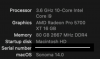
Sonoma was available Day-1 on Intel:
View attachment 20882
That's not what the statement was saying. Some thought that it was M-Series / ARM Macs only.
Abhishek9971
Bit poster
Thank you for the information. You provide valuable information. This information is so helpful.
While still using the safe mode flag, I recently updated the Guest to the v2 of Beta, rebooted after removing the boot flags, and now the Beta launches without issue. It even shows the "full" 64 Mb of virtual GPU vRAM. No known updates to parallels or the tools was observed, so it looks like whatever was incompatible with Parallels (causing the boot issues) has been resolved in the Beta itself.

Sven G
Hunter
Yes, macOS 14 Sonoma beta 2 (Intel) indeed works - and with full Apple accelerated graphics - as a Parallels Desktop (18.3.1) VM, with the Tools installed (also on my old MBP11,3, with the latest OCLP: however, only with only the iGPU enabled; while with the dGPU enabled - the default automatic switching - there is only a black screen)...