SoonToBeFormerParallelsUser
Junior Member
Often, my guest MacOS VMs fail to update to the newer OS version.
Example: My MacOS Ventura VM which is enrolled in the beta program.
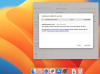
It is currently on 13.6 but fails to update to 13.6.1. An attached screenshot shows the update is available even after it downloads, reboots, and tries to install.
Sometimes the reboot and install takes a while, other times it is a quick reboot to the login screen.
Also attached is a screenshot of the "No Symbol" that sometimes appears towards the end of the install/boot sequence.
I've tried everything I can find in research such as boot flags and such. Anyone else run into this? Have the fix?
Example: My MacOS Ventura VM which is enrolled in the beta program.
It is currently on 13.6 but fails to update to 13.6.1. An attached screenshot shows the update is available even after it downloads, reboots, and tries to install.
Sometimes the reboot and install takes a while, other times it is a quick reboot to the login screen.
Also attached is a screenshot of the "No Symbol" that sometimes appears towards the end of the install/boot sequence.
I've tried everything I can find in research such as boot flags and such. Anyone else run into this? Have the fix?