LeonG2
Bit poster
I have created a Custom Admin group for our service desk.
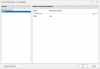
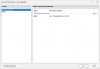
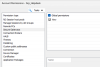
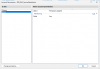
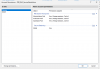
On our site, this custom admin group has the permissions view, manage sessions, and control on the RD Session Host pools. The Global site has view permissions for the permission type 'monitoring'.
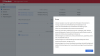
When a user logs into the Management Portal, they receive the error message "Failed to retrieve list of RAS Secure Gateway - Failed due to insufficient permissions".
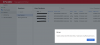
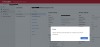
If they then try to view the sessions, the error message "Failed to retrieve list of RAS Client Policy - Failed due to insufficient permissions" appears. The sessions do appear initially, but on a subsequent attempt to retrieve them, they are no longer visible.
Which permissions still need to be configured? And where?
On our site, this custom admin group has the permissions view, manage sessions, and control on the RD Session Host pools. The Global site has view permissions for the permission type 'monitoring'.
When a user logs into the Management Portal, they receive the error message "Failed to retrieve list of RAS Secure Gateway - Failed due to insufficient permissions".
If they then try to view the sessions, the error message "Failed to retrieve list of RAS Client Policy - Failed due to insufficient permissions" appears. The sessions do appear initially, but on a subsequent attempt to retrieve them, they are no longer visible.
Which permissions still need to be configured? And where?