
Install the app
How to install the app on iOS
Follow along with the video below to see how to install our site as a web app on your home screen.
Note: This feature may not be available in some browsers.
You are using an out of date browser. It may not display this or other websites correctly.
You should upgrade or use an alternative browser.
You should upgrade or use an alternative browser.
Mapped network drives not seen PD14.1 on Windows 10 1803
- Thread starter AlexA2
- Start date
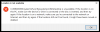 Not sure if I should post here in this thread, but am using PD14 in Mojave and after the lengthy update of Windows 10, I get the message shown (see enclosing picture). It installed Windows 10 1803. Shutting it down does not work. Resetting takes long again, ending up with the same message on a black screen. Adding another full screen image is
 .
.Take snapshot using Actions > Take Snapshot and reinstall Parallels Tools then check.I'm using the same format //psf/ that worked right before running the PD14.1 update and it's not working. Did the format change?
Please take a snapshot using Actions > Take Snapshot and reinstall Parallels Tools then check. If the issue persists, you will need to create a new user profile in WindowsView attachment 14430 Not sure if I should post here in this thread, but am using PD14 in Mojave and after the lengthy update of Windows 10, I get the message shown (see enclosing picture). It installed Windows 10 1803. Shutting it down does not work. Resetting takes long again, ending up with the same message on a black screen. Adding another full screen image isView attachment 14431.

Hi @AlexA2, can you please install Parallels Tools manually and let us know if it stuck at 15% or any error message?Actually in my case it's a result of Parallels Tools not installing properly. Once I fix that, I'm sure the mapped drives will work again, indeed it did.
The steps for me:
1. Disabled Windows Defender real-time scanning.
2. Went to Actions-->Install Parallel Tools
3. Went to the D: drive and ran installation.
4. Installation then went to 100%.
5. Reboot
and everything was fine, apparently Windows 10 automatically enables Windows Defender on restart.
1. Disabled Windows Defender real-time scanning.
2. Went to Actions-->Install Parallel Tools
3. Went to the D: drive and ran installation.
4. Installation then went to 100%.
5. Reboot
and everything was fine, apparently Windows 10 automatically enables Windows Defender on restart.
Both of your suggestions: reinstall tools after taking a snapshot and creating a new profile, did not work, until I (also) changed the disk size from 64 to 128 GB and increased the memory to 4 GB. That finally did the trick. Once it was in 1803, parallel tools were installed automatically. Good grief.Please take a snapshot using Actions > Take Snapshot and reinstall Parallels Tools then check. If the issue persists, you will need to create a new user profile in Windows
Hi @AlfredV, can you please reproduce the issue and reply us with a Technical Data ID collected from the terminal command: prlsrvctl problem-report --sendBoth of your suggestions: reinstall tools after taking a snapshot and creating a new profile, did not work, until I (also) changed the disk size from 64 to 128 GB and increased the memory to 4 GB. That finally did the trick. Once it was in 1803, parallel tools were installed automatically. Good grief.
Oh my, I really don't want to reproduce the issue. It took ages to get the final result. In addition, I tossed the old version allowing windows 10 to get rid of it. All I can say is that I think that the 64GB size of the old version (hmm, I might have it on my TimeMachine) should have been increased to the 128GB. Before I upgraded to PD14 from PD12, I tried to upgrade to the latest Windows 10 and had the same problem. That suggested me to upgrade to PD14. I was disappointed that the same issue occurred. I am sorry. I really don't have the time to reproduce it. All I know is that the file size (no snapshots) of the pvm went beyond 64 GB following the new installation of windows 10. The initial trials were around 55GB (with hdd set to 64GB) resulting in the failure.Hi @AlfredV, can you please reproduce the issue and reply us with a Technical Data ID collected from the terminal command: prlsrvctl problem-report --send