Mass Effect 3 won't launch, no error message given

andy2600

Junior Member
Hi there--

I have a Mid-2011 iMac with all the options and the latest versions of OS X (10.7.4 build 11E53) and Parallels Desktop 7 (7.0.15098.770637) running Windows 7 Home Premium with all updates installed. Most games work fine. However, I can't get Mass Effect 3 which I just purchased through Origin to launch. The game is not available through Steam and has to be purchased through EA's version of Steam-- they call it Origin.

I get a dialog box for a few seconds that says "Launching Mass Effect 3..." with a spinning cursor (see screenshot). The box disappears and I get nothing further. No error messages of any kind.

As suggested elsewhere online, I've tried every permutation of running Origin and ME 3 as Administrator, updating Parallels and Windows, rebooting, trying to launch ME 3 through Origin and not through Origin, exiting Steam and other utilities before trying to launch, and ME 3 just won't launch.

I have 2 GB of my 8 GB physical RAM allocated to the Virtual Machine and 1 GB of my 2 GB video RAM allocated to it. Intel Core i7 quad-core 3.4 GHz CPU with a Radeon HD 6970M GPU. I see no reason why it shouldn't launch.

Any ideas?

BTW, Parallels has been great for me; the Call of Duty series at 2560x1440 with everything set to max is really awesome. So thanks.
 

Attachments
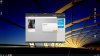
  • Screen Shot 2012-06-23 at 12.49.18 AM.jpg
    Screen Shot 2012-06-23 at 12.49.18 AM.jpg
    281.2 KB · Views: 16
Last edited:
Give this a shot guys.

Hi All,

If you are having a crash issue with Mass Effect 3 or Battlefield 3, you may need to download a patched version of the awc.dll in your game’s EACore folder.

Here’s the instructions:

1. Make sure Origin and your game are not running.
2. Download this file here: https://download.dm.origin.com/usertest/awc.zip
3. Unzip or extract the contents to your desktop.
4. Navigate to the binaries\core folder:
a. Mass Effect 3 default is: C:\Program Files (x86)\Origin Games\Mass Effect 3\Binaries\Win32\Core
b. Battlefield 3 default is: C:\Program Files (x86)\Origin Games\Battlefield 3\Core
5. Make a backup copy of your AWC.dll.
6. Move the new awc.dll file from your desktop into the directory listed above.
7. Now run Origin and launch your game from Origin.

Please let us know if this resolves your issue.

Thanks,
 
This MAY have worked: ME3 started to launch, but the VM locked up when Origin Online showed up. This may have to do with having a GTX 670 installed.

edit: Only worked once. On second try it won't launch. Only difference is License Failure 3 doesn't show in the EA logs any more.

Back to Boot Camp.
 
Last edited:
Bummer, It fixed the issues I was having. I'm hoping it works for others.

Too bad it didn't solve your problem, but bootcamp is probably best as far as performance is concerned.
 
Partial success!

The awc.dll trick didn't work, but it led me to poke around the various EA folders on the C: drive. After some googling I found that EA keeps their license info at C:\ProgramData\Electronic Arts\EA Services\License. I replaced the file in that location on my Parallels install with the one from my BootCamp install and it launched!

Unfortunately, the entire VM immediately crashed, as I think it doesn't play well with the 670.
 
Put the 5870 back in and all is good. I have to guess there was a problem with registering the game when it installs: for some reason my license didn't get registered. As I said, replace the file with the one from my working BootCamp partition worked like a charm.

Now, if we can get the 670 to work with Parallels. . .
 
Hi Serv,

thanks for posting this. It solved many issues for me after having my system upgraded with a nVidia GTX680.

What strikes me as odd is that when writing to Parallels support, they don't seem to have any clues about this at all. It would be nice if they knew about this and could provide proper help (by suggesting this workaround).

Anyways, would you care to elaborate on the workaround and the bug? Any more details? What exactly does the workaround do (does it hit performance?)?

Thanks
 
You don't even need ME3 to reproduce, just get and play a free copy of Battlefield 1942 on Origin and it'll gently dump to desktop also. EA's official position is "your BIOS isn't supported LOL", their DRM is working exactly as intended.

I experienced the same with Amular, EA is simply not interested in completing the latter half of "give money, receive product".
 
The latest update for ME3 is back to the old problem: the game won't launch.

Looks like the update overwrites the awc.dll file, so you have to reapply the awc.dll linked to earlier in the thread.
 
Last edited:
Whoa, I actually read the thread this time, and noticed the awc.dll bit. KoA pretty much works once that DLL is replaced, so I finally got my game. My opinion of Origin has been upgraded from "Windows Antivirus 2012" to "Ask Search Toolbar".
 
Give this a shot guys.

Hi All,

If you are having a crash issue with Mass Effect 3 or Battlefield 3, you may need to download a patched version of the awc.dll in your game’s EACore folder.

Here’s the instructions:

1. Make sure Origin and your game are not running.
2. Download this file here: https://download.dm.origin.com/usertest/awc.zip
3. Unzip or extract the contents to your desktop.
4. Navigate to the binaries\core folder:
a. Mass Effect 3 default is: C:\Program Files (x86)\Origin Games\Mass Effect 3\Binaries\Win32\Core
b. Battlefield 3 default is: C:\Program Files (x86)\Origin Games\Battlefield 3\Core
5. Make a backup copy of your AWC.dll.
6. Move the new awc.dll file from your desktop into the directory listed above.
7. Now run Origin and launch your game from Origin.

Please let us know if this resolves your issue.

Thanks,

IT WORKS!!!!!!!!!!!!!!!!!!!!!

Thank you.
 
Give this a shot guys.

Hi All,

If you are having a crash issue with Mass Effect 3 or Battlefield 3, you may need to download a patched version of the awc.dll in your game’s EACore folder.

Here’s the instructions:

1. Make sure Origin and your game are not running.
2. Download this file here: https://download.dm.origin.com/usertest/awc.zip
3. Unzip or extract the contents to your desktop.
4. Navigate to the binaries\core folder:
a. Mass Effect 3 default is: C:\Program Files (x86)\Origin Games\Mass Effect 3\Binaries\Win32\Core
b. Battlefield 3 default is: C:\Program Files (x86)\Origin Games\Battlefield 3\Core
5. Make a backup copy of your AWC.dll.
6. Move the new awc.dll file from your desktop into the directory listed above.
7. Now run Origin and launch your game from Origin.

Please let us know if this resolves your issue.

Thanks,
Thank you so much man, this has solved the issue. It's been more than 7 years since you've posted this and today I've decided to play ME3 again since 2012. I'm very happy. Thanks again.
 
Back
Top