strells
Product Expert
I had a massive crash on my MBP that required erasing the internal drive, reinstalling the OS, and restoring from Time Machine.
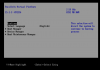
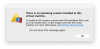
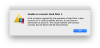
My Windows 10 VM was suspended when the crash happened but I have a backup of the .pvm file with the .hdd file contained within. However, starting Parallels and pointing to the .hdd brings up a BIOS like configuration screen and a message about not seeing the drive. See attached pictures. Any idea what I need to do to fix this?
My Windows 10 VM was suspended when the crash happened but I have a backup of the .pvm file with the .hdd file contained within. However, starting Parallels and pointing to the .hdd brings up a BIOS like configuration screen and a message about not seeing the drive. See attached pictures. Any idea what I need to do to fix this?