LarsMoltrup
Bit poster
Hi everybody
i am working with solidworks 2012(3D modelling program) in windows, so i need as much memory as possible.
this is what i do:
1. close down windows xp
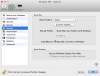
2. configure > general
3. drag slider to 6gb(i have 8gb ram)
4. press ok
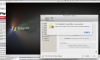
5. after this, the configuration window goes to options and tell me that some folder is not accessible.
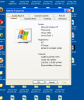
6. open windows, this shows me that here is still only 1gb memory
7. go back to figuration and the slider is back at 1 gb
I hope this makes sense and someone can help me?
Thanks!
Aloha
i am working with solidworks 2012(3D modelling program) in windows, so i need as much memory as possible.
this is what i do:
1. close down windows xp
2. configure > general
3. drag slider to 6gb(i have 8gb ram)
4. press ok
5. after this, the configuration window goes to options and tell me that some folder is not accessible.
6. open windows, this shows me that here is still only 1gb memory
7. go back to figuration and the slider is back at 1 gb
I hope this makes sense and someone can help me?
Thanks!
Aloha