Memory integrity in windows 11 pro guest OS / on or off?

FabianS7

Junior Member
i run windows 11 pro guest os on PDM 18.0.1 (53056) on a 2018 intel core i7 mac mini w/ Monterey 12.5.1.

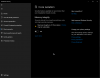
after installing the latest PDM update, and the subsequent windows os parallels tools, i noticed in the windows 11 os the setting for windows security > core isolation > memory integrity was turned off (see attached screenshot image) (it was previously on, set by me manually and intentionally).

is this required for my environment? just curious, not really too concerned yet. thanks.
 

Attachments

  • Screen Shot 2022-09-07 at 10.19.19 AM.png
    Screen Shot 2022-09-07 at 10.19.19 AM.png
    71.8 KB · Views: 63
Me too. That began a couple of weeks ago, in the days of PD 17.x (for me, at least). PD 18.0.1 show the same problem. No incompatible drivers are detected. If one tries to activate Memory Integrity, Windows requires a reboot. After the reboot, Memory Integrity is off, and there aren't any incompatible drivers.
 
Same issue here. Windows 11 help text for Core Isolation - memory integrity mentions "you must have hardware virtualization enabled in your system's UEFI or BIOS". Perhaps this is an issue between Win 11 and Parallels 18.0.2?
 
Hey support team, hope you're all well and having a productive one
Has there been any movement on this, experiencing the same issue here...
 
Same symptoms. Monterey on Intel + Parallels 18.0.2 + W11.
Just for reference: Worked for me on Win10 Pro 21H1 and Win11 Pro using Parallels 18.0.2 on a MBP16 with i9-9880H and 64 GB RAM after switching to Parallels hypervisor and enabling "nested virtualization". In the Task Manager it would look like running bare metal with virtualization enabled as opposed to "Virtual machine: Yes". However, performance was significantly worse, it took really long to boot and used more resources.

OT: Sorry for answering late, my answer was shown as pending for mod approval and I did not see your answers until just now for whatever reason.
 
I'm seeing this too:
- Windows 11 VM
- I see a security warning. Memory Integrity is off.
- Memory Integrity requires turning on core isolation
- I turn it on in the settings.
- Reboot is required.
- It is turned off again after reboot.

Looking at the answers above, the solution is to enable nested virtualisation.
Selecting Parallels Hypervisor in the VM configuration does not show an option to Enable nested virtualization.

System:
- Macbook Pro 13" 2020 Intel
- OSX Ventura 13.01
- Parallels 17.1.4 (51567)
- Windows 11 Pro 22H2
 
Parallels support: switching to the parallels hypervisor (instead of the apple one) solves this.
I can confirm this works
 
Hi DennyK1,
I had tried that already. It is part of the solution linked previously in this thread.
That solution suggests that you need to switch to the Parallels Hypervisor then Enable Nested Virtualisation.
There is no option to Enable Nested Virtualisation as shown on the linked page https://kb.parallels.com/en/125195?

I have checked again today by switching to the Parallels Hypervisor alone ... it does not fix the issue ... Core isolation is still switched off after a reboot.
 
Hi NigelB6,

I have the option as you can see in the screenshot.

kr
Denny
 

Attachments

  • Screenshot 2022-11-15 at 15.47.35.jpg
    Screenshot 2022-11-15 at 15.47.35.jpg
    122.9 KB · Views: 33
Hi NigelB6,
I have the option as you can see in the screenshot.
kr
Denny

Hi DennyK1,
Unfortunately that doesn't help me as I don't have the option as you can see in the screenshot.
Not sure what it us but I don't have the Extended Memory Limit option either.
kr
Nigel
System:
- Macbook Pro 13" 2020 Intel
- OSX Ventura 13.01
- Parallels 17.1.4 (51567)
- VM: Windows 11 Pro 22H2
 

Attachments

  • Screen Shot 2022-11-17 at 00.11.03 AM.png
    Screen Shot 2022-11-17 at 00.11.03 AM.png
    208 KB · Views: 15
Hi DennyK1,
Sorry that was the wrong screenshot.
Windows 11 VM options are the same as you can see in this screenshot.
kr
Nigel
 

Attachments

  • Screen Shot 2022-11-17 at 00.19.28 AM.png
    Screen Shot 2022-11-17 at 00.19.28 AM.png
    211.5 KB · Views: 30
Back
Top