Migrate Lenovo with Windows 8

Yuli

Bit poster
Hello,
I try to migrate Lenovo with Windows 8.1 but transport agent returns a message that the source computer volumes can be transferred as data disks only, because neither of them is an active volume or has an operating system installed. Windows was installed from preinstall on PC. Lenovo has their own way to create partitions which is described here: http://support.lenovo.com/us/en/documents/ht077144
What settings shall i change to make the transfer possible?
 
Hi Yuli,
  • When migrating data from a remote Windows or Linux computer, Parallels Transporter Agent transfers data from the specified volume(s) of the source computer to a newly created Parallels virtual hard disk (.hdd) and creates a virtual machine configuration file (.pvs). These two files constitute a ready-to-use virtual machine. During the remote migration, only the active volume (the source computer boot volume) is made bootable, and the resulting virtual machine has the same operating system that was active during the migration. If Parallels Transporter is unable to identify the source operating system, all source volumes are migrated as data disks.
  • If you migrated your PC as data disks, the virtual machine won't work under Parallels Desktop. You will be able to use the data by mounting migrated hard drive using Parallels Mounter.
  • In-order to resolve this issue, Please check if your PC has EFI or BIOS installation How to know if my computer is using EFI/UEFI or BIOS firmware interface and also check on PC computer please open Disk Management (Start -> Run... -> diskmgmt.msc). Check partitions of Disk 0:
    NOTE: If you have several volumes without drive letters, as shown on the example above, and in section Status - 'EFI System Partition' is shown not under volume (C:), it means that Parallels Desktop does not support migration 'as virtual machine' of such configuration, but only 'as data disks' then try to start the migration steps suggested in the article: http://kb.parallels.com/115007 and please let me know if you have any questions.
 
Thanks for your promt answer!

My PC has UEFI installation.
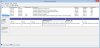
Attached is snapshot of my partition tables, unortunatelly in Russian... both C: and D: are stated as primary partition while system sits on C: and D: is Lenovo's recovery disk.
 

Attachments

  • Disc.jpg
    Disc.jpg
    277.3 KB · Views: 4
Last edited:
Hello,
Thank you for your reply. It's sad...
Would you mind to put the info about UEFI into KB115007 http://kb.parallels.com/en/115007 to "Requirements for importing your data" section.
Do you work on getting the possibility to migrate UEFI PC? When can this become possible?
 
Back
Top