koolaidman
Member
I'm running parallels on a 17" MBP with 2GB RAM, running beta build 1862.2.
I seem to be missing quite a bit of hard drive space in windows. My expanding disk image is set to 7GB, and windows is reporting that I am using up 5.61GB of that, with 1.35GB remaining. Diskeeper (my defragmenting tool) also reports a similar number.
However, when I add up the total file size of all the files in the system, it only totals 3.52GB, leaving me with just over 2GB missing. I realize that there are differences in the way different programs and tthe OS calculate disk space, but not to the tune of 2GB, that's ridiculous.
I used a tool called iFindSpace to do the calculation of the file size of each folder & file, and it came up with the 3.52GB number. It details the size of every file on the system, and I can't see anything that looks out of place. The system is simply miscalculating.
Let me also mention that I have expanded the disk image from its original 6GB size, because the system kept telling me I was running out of space, and resized the disk using GPartEd so that windows would see the new space. However, I was getting this missing space issue before I resized the partition; that is in fact the very reason I made it larger, so that I could actually use it.
I don't think my problem is the *.dat files from a ImageTool resize that everyone seems to find, because I have 'show hidden items' turned on, and I or the disk space calculator would have found them.
Does anyone have any suggestions beyond what I've already tried? This one's got me stumped.
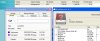
I've attached a snapshot of the 3 programs' output so you can see what I mean.
I seem to be missing quite a bit of hard drive space in windows. My expanding disk image is set to 7GB, and windows is reporting that I am using up 5.61GB of that, with 1.35GB remaining. Diskeeper (my defragmenting tool) also reports a similar number.
However, when I add up the total file size of all the files in the system, it only totals 3.52GB, leaving me with just over 2GB missing. I realize that there are differences in the way different programs and tthe OS calculate disk space, but not to the tune of 2GB, that's ridiculous.
I used a tool called iFindSpace to do the calculation of the file size of each folder & file, and it came up with the 3.52GB number. It details the size of every file on the system, and I can't see anything that looks out of place. The system is simply miscalculating.
Let me also mention that I have expanded the disk image from its original 6GB size, because the system kept telling me I was running out of space, and resized the disk using GPartEd so that windows would see the new space. However, I was getting this missing space issue before I resized the partition; that is in fact the very reason I made it larger, so that I could actually use it.
I don't think my problem is the *.dat files from a ImageTool resize that everyone seems to find, because I have 'show hidden items' turned on, and I or the disk space calculator would have found them.
Does anyone have any suggestions beyond what I've already tried? This one's got me stumped.
I've attached a snapshot of the 3 programs' output so you can see what I mean.