Mojave Guest not displaying some applications

CodersResource

Bit poster
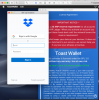
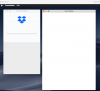
I just did a paid upgrade to Parallels 14.1.2 for Mac Home. Then i created a Mojave guest VM on a Mid 2014 MacBook Pro running Mojave. Half the applications just show a blank screen. This is happening with dropbox, Mullvad and Toast Wallet. I though it may be the 3D acceleration api issue but these apps run fine in VMWare Fusion. I'd prefer to use Parallels since i just paid to upgrade. But it is currently unusable. Are there any settings that can be changed to fix the issue?

Parallels 14 running Mojave
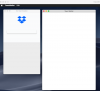
Screen Shot 2019-03-07 at 11.15.56 PM.png

VMWare Fusion 11
Screen Shot 2019-03-07 at 1.28.32 AM.png

Thanks,

Ron
 

Attachments

  • Screen Shot 2019-03-07 at 11.15.56 PM.png
    Screen Shot 2019-03-07 at 11.15.56 PM.png
    221.1 KB · Views: 7
Hi,

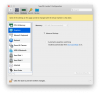
Yes i have reinstalled Parallels Tools a few times and still having the same issue. I increased the Memory size (image below) for graphics. Are there additional Graphic settings that can be changed?

Screen Shot 2019-03-13 at 11.18.55 PM.png

Thanks,

Ron
 
Same issue:
  • Parallels Version 14.1.3 (45485)
  • Host + Guest OS: macOS Mojave 10.4.3
Chrome in the guest OS does not display sites correctly (or at all): Similar to the visual issues described here and in other threads too (like this one)
 
Back
Top