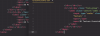
I just installed Parallels 17 on MacOS Mojave, for the purpose of running 32-bit Adobe applications. So I now have a Mojave VM in Mojave, in preparation of upgrading the main OS.
The problem I run into is that the colors don't match between the VM and the main OS. Since I'll be running Photoshop in the VM, this is an important issue. I already tried copying the display profile to the VM, to no effect.
Is it possible to get the two to match? Could anyone point me in the right direction for the color profile settings?
The problem I run into is that the colors don't match between the VM and the main OS. Since I'll be running Photoshop in the VM, this is an important issue. I already tried copying the display profile to the VM, to no effect.
Is it possible to get the two to match? Could anyone point me in the right direction for the color profile settings?