Mountain Lion via guest OS

Will Swigart

Bit poster
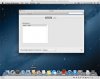
Seems in my Parallels 7 installation and guest OS with Mountain Lion preview installed my screen resolution max is 1024 x 768 with no other choices even though my iMac is a 27" with max 2560 x 1440.

Wondering how to make the virtual machine screen resolution larger?
 

Attachments

  • Mountain Lion Screen Res.jpg
    Mountain Lion Screen Res.jpg
    137.4 KB · Views: 9
LION Software

I am just updating my MAC to Lion and did not even consider before doing it that Parallels would not open as well as loosing my Quicken for home accounting system.

Did you get any answers on the Parallels? I do not want to buy another piece of software that won't work???
 
Seems in my Parallels 7 installation and guest OS with Mountain Lion preview installed my screen resolution max is 1024 x 768 with no other choices even though my iMac is a 27" with max 2560 x 1440.

Wondering how to make the virtual machine screen resolution larger?

Install Parallels Tools, increase the resolution by dragging the corner and making the window bigger or by going full screen.
 
Parallels Tools is installed as far as I know, at least it is for the virtual machine running Windows 7.

Does it need to be installed for each virtual machine?
 
Back
Top