JonathonL1
Bit poster
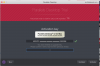
Hi, I got a new Mac, and needed to move my parallels install over. I deactivated it on my old machine by signing out. on the new machine I downloaded parallels 12, and signed in. it shows the available license. I select it and click "Activate". The app then asks for "key from the previous purchase".
I bought Parallels 11 in 2016, then renewed my subscription in 2017. The license key I have for 11 is the same that is listed on my account at parallels.com. The same one that was on the old machine when I deactivated it.
Any help would be appreciated.
I bought Parallels 11 in 2016, then renewed my subscription in 2017. The license key I have for 11 is the same that is listed on my account at parallels.com. The same one that was on the old machine when I deactivated it.
Any help would be appreciated.