Need Help Installing Device Drivers on Virtual WinXP

StephanieN

Bit poster
I'm hoping someone can help me to install the driver for a usb device in WinXP running in Parallels. I have read both manuals regarding this and have not found any answers. I have Amazing Designs Embroidery Converter Box. I have downloaded the drivers and installed the program. When I plug in my device, I get the Found New Hardware Wizard. So far, so good. As per my instructions, on the first window, I check "No, not at this time". On the second window, I check "install from a specific location" . It's the third windows, I'm having problems with. On "Search from a specific location" I check "include this location in the search". The line keeps defaulting to "D:\" which is the dvd/cd. I change it to C:\ and hit next. I get the message "The location you specified dos not exit or cannot be reached". I have left it at the default, I've tried browsing to the "computer". I've even tried "Z:\Applications(Parallels)". Same thing happens. In the manuals, all it says is to Install the drivers, but doesn't state how. I'm at a loss and hope someone can help me. I can't figure out where to go for the driver in the browse button.


Parallels: 7.0.15107

WindowsXP SP2

MacBook Pro: 10.6.8


Thanks in advance

Stephanie
 
Hi Stephanie,
Please let us know that how is this device connected whether it's connected directly to Windows Virtual Machine or to your Mac. Please share screenshots reproducing the issue, so that we can assist you better.
 
When I connect the device to my computer, it asks if it is connect to mac or windows. I connect to windows. Is that clear enough?
 
Here is the information you requested. The installation instructions are located here, Amazing Box Update as a pdf. Here are screen pictures as I try to install the drivers.
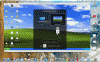
First I connect the box.
Image-1b.gif

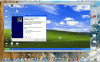
Then the Found New Hardware Wizard launches.
Image-3b.gif

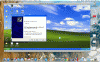
Image-4b.gif

It defaults to D:, but should default to C:

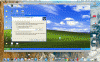
Image-5b.gif

No matter which location I indicate or browse to I get this message.

Image-7b.gif

I'm clueless as to what to do. Like I said before I read both manuals, Quick Start and the the more detailed manual and all they said "may have to install usb drivers".

If you need additional info, let me know.

Thanks - Stephanie
 
Hello Stephanie,
The entire issue is because Windows XP cannot locate and install the Device drivers automatically. Since the Drivers for your particular Device are not getting located automatically. So you'll need to have driver utility for your USB device (since windows XP does not locate or install it automatically). In order to have this resolved. You will have to contact the USB device vendor or download the driver separately from the internet and then provide the location manually (as shown in the 4th screen shot).
 
Hi - Thanks for replying. The problem was been resolved today. The usb drivers normally included with the software were not supplied from the companies support site. They were found at an alternative site. Device is now working.
 
Hello Stephanie, Thank you for your reply and thank you for sharing the fix with us, feel free to reach out any time, we are here to help you.
 
Back
Top