Network Connectivity Issue

  • Thread starter Thread starter Parallels User
  • Start date Start date
P

Parallels User

I am running Parallels Desktop on my Mac Book Pro. I have windows XP installed as the guest OS. The network Adapter is set to "Shared Neworking" so that it uses the network settings in OSX. I have no problems maintaining connectivity on the OSX side, but I get intermittant network timeouts while accessing the internet on the Windows side in the VM. I am able to access a few pages or sites and then I get "Address Not Found" errors. If I refresh the page a few times or if I wait a few minutes the page will load. There does not seem to be any rhyme of reason as to when or how often it happens.

The problem is really odd becuase when I travel on the road and use hotel internet connections I've not yet seen this problem. It only seems to happen when my laptop is connection to my home network wirelessly or via an ethernet cable.

Any ideas what might be going on here. Like I said, if just browse on my home network from the OSX side or any other computer on my home network (both PC and Mac), there are no issues. It's only within the VM.

Cheers,
Jeff
 
Most likely that travelling had left invalid entries for DNS-server in Mac OS.

Could you please got to the System Preferences-> Network, click "Advanced" first for "Wireless" adapter and then for "Ethernet" adapter and check DNS tab. There should be only one entry. Let me know if you need more detailed instruction.
 
My ethernet DNS is set to 4.2.2.2 and 4.2.2.3 (changing it from my ISP DNS sped up browser requests significantly) and the Wireless is set to the same two DNS entries that are provided by my ISP. There is no evidence of DNS entries from any of the hotel ISPs I've connected to.

Cheers,
Jeff
 
Nope, that did not fix the problem. I'm starting to think this is a DNS issue with Parallels. Today I had several downloads in progress in Firefox, but received timeouts for several minutes when trying to visit any web page. At this same time the downloads were still in progress without ever being interrupted. Any other ideas?

Cheers,
Jeff
 
I'm starting to think this is a DNS issue with Parallels.

Most likely it is... but it is only (most likely) possible when there is a trouble-entry in Mac OS DNS..
It would be interesting to see what does the output of command "scutil --dns" says. Could you start /Application/Utilities/Terminal and type in it this command (without quotes)?
 
Here are the results. The last two entries are the DNS servers from my ISP and the first two the ones I entered as it sped up internet access in Parallels. I read it somewhere, so don't really understand what they are doing.

DNS configuration

resolver #1
domain : shaw.ca
nameserver[0] : 4.2.2.2
nameserver[1] : 4.2.2.3
nameserver[2] : 64.59.135.143
nameserver[3] : 64.59.135.145
order : 200000

resolver #2
domain : local
options : mdns
timeout : 2
order : 300000

resolver #3
domain : 254.169.in-addr.arpa
options : mdns
timeout : 2
order : 300001

resolver #4
domain : 8.e.f.ip6.arpa
options : mdns
timeout : 2
order : 300002

resolver #5
domain : 9.e.f.ip6.arpa
options : mdns
timeout : 2
order : 300003

resolver #6
domain : a.e.f.ip6.arpa
options : mdns
timeout : 2
order : 300004

resolver #7
domain : b.e.f.ip6.arpa
options : mdns
timeout : 2
order : 300005
 
Some of these nameserver is surely unworkable:
nameserver[2] : 64.59.135.143
nameserver[3] : 64.59.135.145

(4.2.2.2 and 4.2.2.3 are working even from my location)

It is really an issue of Parallels Networking - detection of unworkable servers is not very good (we are working on it), but it can be workarounded using one of two ways
1) either remove unworkable dns-server (let me know if you are interested in how workability of dns can be checked, I'm not posting it now to keep message short)
2) or at Windows side click Start -> run -> cmd.exe and type in it next commands:
C:>netsh interface show interface
Admin State State Type Interface Name
-------------------------------------------------------------------------
Enabled Dedicated Local Area Connection 1

c:>netsh interface ip add dns name="Local Area Connection 1" addr=4.2.2.2
OK.
 
Could you explain this a bit more? I ran the first command and received the following:


C:\Documents and Settings\Administrator>netsh interface show interface

Admin State State Type Interface Name
-------------------------------------------------------------------------
Enabled Dedicated Local Area Connection
Enabled Dedicated Local Area Connection 3
Enabled Dedicated Local Area Connection 2
Enabled Internal Internal
Enabled Loopback Loopback

I was away all last week and did not have a single issue. As soon as I am home again the problems occur with both the Wifi and wired connection. I don't really understand what is going on, short of thinking it is a DNS issue somewhere.
 
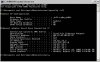
Hm. Really strange.. usually there is only one network connection. could you please attach screenshots with output of command "ipconfig /all" in cmd.exe? Most likely it won't fit in one screenshot, so I think there will be two screenshots

Would you like also to try a beta-version of Shared Networking daemon that should fix this issue? I can't promise on fast reply with that version, but we'll try to send someday near friday (let my know your email through forum's private messages if you'd want to try)
 
Last edited:
I'll try anything to get this working, so please do hook me up with the beta. I'll PM and sent a ticket. In the meantime here is a screenshot.

Cheers,
Jeff
 

Attachments

  • 8-10-2009 3-04-45 PM.jpg
    8-10-2009 3-04-45 PM.jpg
    62.2 KB · Views: 6
Back
Top