ultimatebuilder
Bit poster
I just downloaded the latest Parallels 3.0 Build 5600 and I am installing Windows XP. I make it through the XP installation process and the last step it tries to do is install the Parallels Tools. The message says:
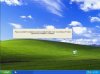
"Please wait while OS Installation Assistant is installing Parallels Tools. Your Windows XP will be rebooted once installation is completed."
It has been sitting there with that message up on the screen now for over an hour. It is obviously not doing anything. This is actually the second time I tired to install this. I tried previously and when it hang up on this I tried to manually install the Parallels Tools by canceling the current installation and then rebooting XP then trying to manually install the Tools. It would start the install process, I would get to the part where it shows the installation progress bar and it would stop at the first green bar and not continue installing. After trying to search the forums for a solution I tried many things, but ended up just deleting the VM and trying to install it all over again. The same thing happened the second time as well.
I am on a MacBook Pro with 2 GB RAM and I am installing XP Professional with no service packs. Should I install the service packs and then try again? Not sure if Paralells will run on an XP machine without the service packs.
Please help if you know what I could do.
Thanks!
I have attached a screenshot of the Please wait message.
Any suggestions out there?
"Please wait while OS Installation Assistant is installing Parallels Tools. Your Windows XP will be rebooted once installation is completed."
It has been sitting there with that message up on the screen now for over an hour. It is obviously not doing anything. This is actually the second time I tired to install this. I tried previously and when it hang up on this I tried to manually install the Parallels Tools by canceling the current installation and then rebooting XP then trying to manually install the Tools. It would start the install process, I would get to the part where it shows the installation progress bar and it would stop at the first green bar and not continue installing. After trying to search the forums for a solution I tried many things, but ended up just deleting the VM and trying to install it all over again. The same thing happened the second time as well.
I am on a MacBook Pro with 2 GB RAM and I am installing XP Professional with no service packs. Should I install the service packs and then try again? Not sure if Paralells will run on an XP machine without the service packs.
Please help if you know what I could do.
Thanks!
I have attached a screenshot of the Please wait message.
Any suggestions out there?