Recently this has become a real issue for me. I don't know what started it but the only thing I can think of that is using this service is Parallels so I can copy files to / from my VM.
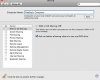
I tried going into System Preferences -> Sharing and to find Windows File Sharing to turn it off, but it isn't there.. Where did this option go? Why can't I disable it anymore?
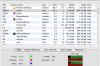
The nmbd process maxes out my CPU and fans in my MacBook Pro go wild. As soon as I kill the process it all goes back to normal.. until the damn service auto restarts and it happens all over again. This is now really frustrating me. Any ideas?
thanks.
I tried going into System Preferences -> Sharing and to find Windows File Sharing to turn it off, but it isn't there.. Where did this option go? Why can't I disable it anymore?
The nmbd process maxes out my CPU and fans in my MacBook Pro go wild. As soon as I kill the process it all goes back to normal.. until the damn service auto restarts and it happens all over again. This is now really frustrating me. Any ideas?
thanks.