No internet connect on Mac--XP connect works

fatheroftwins

Bit poster
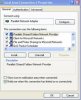
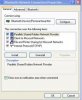
All the posts I have read concern the opposite--haven't seen one with XP connect but not Mac. With VM running, I use my cellphone as a modem. The VM sees the phone via bluetooth (needed to select "apple-wireless" prior to every use). Then using software from Sprint (windows only), I am able to connect to the internet. However, on Mac side--no conection. In Network control panel on Mac side, Parallel-Guest connectd (IP 10.37.129.2) and Parallels NAT connected (IP 10.211.55.2). Airport is on but not connected. In VM, Network Connections control panel shows: Dial-up connected, firewalled, standard modem over bluetooth; LAN connected, firewalled parallels network adapter; Personal Area Network bluetooth network disconnected.

Macbook Pro, OS 10.5.5; Parallels 3.0 build 5608; XP/HE SP2
 
Problem:
I have some device which allows to connect to Internet, but it only has
drivers for Windows.
How I can Share Internet connection from Windows to Mac OS

Solution:

1. Attach device to Virtual machine
2. Install drivers, according to hardware manufacturer's recommendation
3. on Mac OS side open System Preferences ->Network
4. Edit settings for Parallels Host-Guest adapter as bellow:
Configure: Manually
IP address: any in range 192.168.0.2-192.168.0.254
Subnet Mask: 255.255.255.0
Router: 192.168.0.1
DNS server: 192.168.0.1
Search Domains: leave empty

5. In Windows navigate to Control Panel - Network Connections
6. Right click on Network device which provides Internet Connection -
select Properties
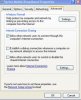
7. Click Advanced tab
8. Select Allow other network users to connect through this computer's
Internet connection
9. In Home Networking Connection by default Parallels Network Adapter is
selected click OK
10. Click OK. You receive the following message:
When Internet Connection Sharing is enabled, your LAN adapter will be
set to use IP
address 192.168.0.1. Your computer may lose connectivity with other
computers on
your network. If these other computers have static IP addresses, it is a
good idea to set them
to obtain their IP addresses automatically. Are you sure you want to
enable Internet
Connection Sharing?
11. Click Yes.
 
Everything going well up to:
9. In Home Networking Connection by default Parallels Network Adapter is
selected click OK

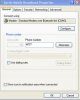
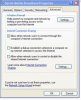
Not sure what this is, no tab for this. Note, for step 6, I chose my sprint mobile broadband. Step 7 and 8 make sense, but not step 9. Never did get the message in 10.

If I pick a different network device--that is LAN rather than my phone--I can at least see "connect using Parallels Network Adapter". What am I missing or doing wrong?

thanks
 
Here you go.


As an aside: for those mac folks wondering how to make a screen shot from a macbook pro (i.e. no F14 or "PrntScrn" button). From the VM use Shift+Cmd+3 for full screen or Shift+Cmd+4 for partial screen. For some reason, the Start menu opens everytime?!?!<!?< The images are automatically saved to your Mac desktop and then you can drag them onto the VM desktop. I could not get these commands to work using Bootcamp
 

Attachments

  • 1 network ctrlpnl.jpg
    1 network ctrlpnl.jpg
    14.5 KB · Views: 4
  • 2 tether cell properties.jpg
    2 tether cell properties.jpg
    10.6 KB · Views: 3
  • 3 tether cell adv prop.jpg
    3 tether cell adv prop.jpg
    14.2 KB · Views: 2
  • 4 LAN properties.jpg
    4 LAN properties.jpg
    14 KB · Views: 2
  • 5 bluetooth ctrl panel.jpg
    5 bluetooth ctrl panel.jpg
    13.3 KB · Views: 2
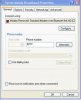
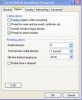
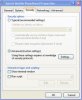
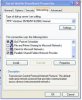
Here you go
 

Attachments

  • 1 cellphone general.jpg
    1 cellphone general.jpg
    11.3 KB · Views: 3
  • 2 cellphone options.jpg
    2 cellphone options.jpg
    12.3 KB · Views: 2
  • 3 cellphone security.jpg
    3 cellphone security.jpg
    12.4 KB · Views: 2
  • 4 cellphone networking.jpg
    4 cellphone networking.jpg
    14.6 KB · Views: 2
  • 5 cellphone adv.jpg
    5 cellphone adv.jpg
    14.7 KB · Views: 2
I see, There is no option to share internet connection

My suggestion is to contact their support and ask following question:
How I can share this connection among other computers in Network, if you provide me with the answer, we can find solution
 
Back
Top