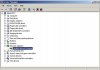
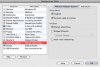
No internet connectivity in Parallels/Boot Camp instance b4 upgrade and none after

billybeaker

Junior Member
I have Leopard on a MacBook Pro. When I added my Boot Camp Windows XP installation to Parallels build 5160, the network connection never showed up. No network adapter listed in Windows. Nothing when running "ipconfig" in command prompt. Obviously, there was no internet connectivity,either. But when I boot right into Boot Camp, I get internet and all works fine.

I waited patiently for a new release but nothing has changed. There is still no network adapter in Windows XP Boot Camp Parallels instance. No internet connectivity in windows, either.

To top it off, when I boot the Parallels Boot Camp instance, I am asked to re-activate Windows because the hardwar configuration has changed. I already did this once- what a pain. I'm on the fence about even continuing to use Parallels. Without the internet in my Windows instance, what good is it?

I tried referencing this thread for help, http://forum.parallels.com/showthread.php?t=17825, but nothing seems resolved...
 

Attachments

  • Picture 1.jpg
    Picture 1.jpg
    12.5 KB · Views: 6
  • Picture 2.jpg
    Picture 2.jpg
    14.4 KB · Views: 5
Hello,

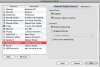
please open 'Configuration Editor' of your VM ('Edit' -> 'Virtual Machine'), select 'Network Adapter' tab there and tell me what type of network do you have there: Shared, Bridged or Host-Only.
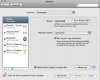
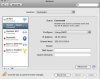
Then please open 'System Preferences' of your Mac, select 'Network', choose 'Show' -> 'Network Status' and please make a screenshot of this window.

Best regards,
Stacey
 
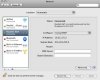
I did not see 'Show' -> 'Network Status' in System Preferences, Network. Maybe it's different in Leopard? Anyway, I hope I took enought relevant screenshots to diagnose the problem. Again, there is NO network adapter listed in Windows- this means, there is no "network status" or IP address in Windows.
 

Attachments

  • Picture 1.jpg
    Picture 1.jpg
    19.8 KB · Views: 7
  • Picture 2.jpg
    Picture 2.jpg
    15.1 KB · Views: 6
  • Picture 3.jpg
    Picture 3.jpg
    14.6 KB · Views: 6
  • Picture 4.jpg
    Picture 4.jpg
    13.9 KB · Views: 5
On top of this all, when I purchased Parallels online, I was supposed to receive a $20 iTunes gift card. I have never received the card. What's the deal? I receive an update to my issue about once every 2 days. The product I purchased does not work. And the incentive promised with the purchase is an empty one. I am disappointed.
 
Those IP addresses for Parallels NAT and Parallels Host-Guest in billybeaker's screenshots are the same ones I have on my MacBook Pro. I also lost internet access from Win XP when I installed 5160 (and 5582 install hung).
 
Hello,

billybeaker, rhover,
please try to install build 5582. If you have problems installing it, please use this link.

billybeaker,
when did you purchased Parallels?

Best regards,
Stacey
 
Last edited:
I wasn't totally clear in my first post, but I have already installed build 5582. Nothing has changed. Still no internet, still no network adapter in windows.
 
Please try to do the following:
1. Open Mac OS X "System Preferences" - "Network".
2. Choose "Parallels NAT" from the left panel, choose "OFF" in the "Configuration" field, then click "Apply".
3. Choose "DHCP" in the "configuration field" and click "Apply"
4. Choose "Parallels Host Guest" from the left panel, choose "OFF" in the "Configuration" field, then click "Apply".
5. Choose "DHCP" in the "Configuration" field and click "Apply"

Best regards,
Stacey
 
No change. That did not fix anything. There is no network adapter showing up in Windows so DHCP is not doing anything, I assume.
 
Hello,

please open Configuration Editor of your VM (Edit -> Virtual Machine), 'Network Adapter' tab and tell me what type of Network do you use.

Best regards,
Stacey
 
Hello,

did you try to use Bridged Ethernet?
In Mac OS X "System Preferences" - "Network" what color does Parallels NAT have?
Try in Terminal to use command sudo killall –hup pvsnatd .

Best regards,
Stacey
 
Wow, I finally figured out a solution to this problem. Stacy, I tried your last suggestions but still I had no network adapter or connectivity.

I thought about how no network adapter showed up in Network Connections but it was showing up in Device Manger. So, I unistalled the network adapter in Device Manager and the ran "Scan for Hardware Changes". I couldn't believe it, but Windows detected the adapter and added it the Network Connections. Problem solved! I have normal network behavior when I open Boot Camp install in Parallels. I hope this helps someone else.
 
Great Job Stacy

IT DID WORK...GREAT JOB.

(Uninstall the network adapter from the device manager and scan for hardware changes and then it is WORKING.....)
 
Back
Top