
Install the app
How to install the app on iOS
Follow along with the video below to see how to install our site as a web app on your home screen.
Note: This feature may not be available in some browsers.
You are using an out of date browser. It may not display this or other websites correctly.
You should upgrade or use an alternative browser.
You should upgrade or use an alternative browser.
No Networkadapters
- Thread starter MaxS5
- Start date
Arun@Parallels
Parallels Support
Hi Max, please make sure that you have installed Parallels Tools ( http://kb.parallels.com/115835 ) on Windows XP virtual machine. If the issue still persists, please help us with the screenshots, we will check and assist you further.
Hi Arun,
thank you for your help.
I did install Parallels Tools, as suggested.
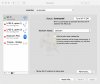
I still see no Adapters on the Network Pane on my Mac.
Network just works if I connect directly to WiFi.
Pls find attached Screenshots from Network Pane in Mac
thank you
best, Max
thank you for your help.
I did install Parallels Tools, as suggested.
I still see no Adapters on the Network Pane on my Mac.
Network just works if I connect directly to WiFi.
Pls find attached Screenshots from Network Pane in Mac
thank you
best, Max
Attachments

Hi MaxS5, please check and adjust the virtual machine configuration:Hi Arun,
thank you for your help.
I did install Parallels Tools, as suggested.
I still see no Adapters on the Network Pane on my Mac.
Network just works if I connect directly to WiFi.
Pls find attached Screenshots from Network Pane in Mac
thank you
best, Max
* Network adapter status and existence:
* Go to Configuration > Hardware > Network 1 > Source and make sure the Disconnected checkbox is not marked.
* If Network 1 is not present, please click + sign at the bottom of the configuration window to add a new adapter. Then choose "Host Only"
Hi Paul,
thank you for your reply.
I tried this priorate my first post.
Windows Network is connected but I don't get a connection to the internet.
This only works if I set this to "Bridged Network".
Parallels says ( http://download.parallels.com/desktop/v4/docs/en/Parallels_Desktop_Users_Guide/22243.htm ) that the Host Only Adapter is generated in the Mac Network pane, but I don't see any Parallels Adapter.
pls refer to the screenshot I posted already
Or do I missunderstand this...could be because I'm new to Mac and English is not my mother language. ;-)
Would be great if we can this solved.
Thank you
best, Max
thank you for your reply.
I tried this priorate my first post.
Windows Network is connected but I don't get a connection to the internet.
This only works if I set this to "Bridged Network".
Parallels says ( http://download.parallels.com/desktop/v4/docs/en/Parallels_Desktop_Users_Guide/22243.htm ) that the Host Only Adapter is generated in the Mac Network pane, but I don't see any Parallels Adapter.
pls refer to the screenshot I posted already
Or do I missunderstand this...could be because I'm new to Mac and English is not my mother language. ;-)
Would be great if we can this solved.
Thank you
best, Max

Elric
Parallels Team
Hi, there is a note "The primary operating system is connected to this network via the Parallels Host-Only Networking adapter". By default this network adapter is not shown in System Preferences. You can see it if you start /Application/Utilities/Terminal and execute ifconfig in it. The interface for Host-Only Networkin Adapter is "vnic1".Hi Elric,
Well, this is how I understood the article, that's why I thought I need to see the adapters in the network pane of my Mac.
In the pro-version it is possible though to make it appear there (not sure whether you really need it)
About
Windows will connect to internet also in Shared networking mode (actually, Shared is the recommended default mode to use). In host-only mode VM doesn't have connection to internet by desingn.Windows Network is connected but I don't get a connection to the internet. This only works if I set this to "Bridged Network".