I have tried to get the editing software to run in my windows version 7 running on parallels. It hangs on installing under desktop 8 under desktop 7 it complained about the parallels driver not being compatible. Has anyone been able to get this to work I would really like to get it running. Thanks

Install the app
How to install the app on iOS
Follow along with the video below to see how to install our site as a web app on your home screen.
Note: This feature may not be available in some browsers.
You are using an out of date browser. It may not display this or other websites correctly.
You should upgrade or use an alternative browser.
You should upgrade or use an alternative browser.
Not able to get Pinnacle Studio version 14 to run on parallels 5 6 7 or 8
- Thread starter Jserenson
- Start date
Thanks YanaYana It now loads. But now I am having trouble loading my project files, and media files. It tells me the above filename is invalid. Please choose another location or mapped network drive location for the file. They are on external 2TB drives. I also got an invalid filename if I tried to just load a video file in a new project., When I moved the file to the C drive in the VM it opened. Doesn't it support the external drives listed under Network
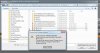
I suggest you first - to send the report. From the top menu go Help --> Report a problem --> Remember report id and post here.
Second - please contact our support, they will be able to help you faster. www.parallels.com/support/
Second - please contact our support, they will be able to help you faster. www.parallels.com/support/
seems like Pinnacle does not support UNC paths. we suggest you map 2TB drive to Windows and try to access files at the mapped drive. here is a good tutorial http://www.sevenforums.com/tutorials/49517-map-network-drive.html