Hi!
I have a valid license that I try to move to my new MacBook Pro 16.
I have done this before according to your instructions. Logging out on the old computer (thereby releasing) ant thereafter trying to enabling on the new.
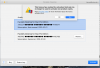
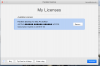
I can see that the license is released as it appears in the new dialog. But I am not allowed to use it. (img 1 - limit reached)
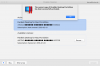
If I re-enable it on the old computer it (no problem as you can see on img 3) it is not visible on the new.
What to do?
Bjarne (bjarne@bulow.de)
I have a valid license that I try to move to my new MacBook Pro 16.
I have done this before according to your instructions. Logging out on the old computer (thereby releasing) ant thereafter trying to enabling on the new.
I can see that the license is released as it appears in the new dialog. But I am not allowed to use it. (img 1 - limit reached)
If I re-enable it on the old computer it (no problem as you can see on img 3) it is not visible on the new.
What to do?
Bjarne (bjarne@bulow.de)