Hi everybody!!
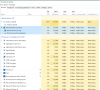
I've a problem with office 365 on windows 10; every think is very slow: opening files, typing characters, scrolling (terrible!!!)...
I've also formatted SSD and reinstalled every app, but without solv problems.
My computer is: macbook pro early 2015, SSD 240 Transcend, 8 GB Ram, Mojave 10.14.2
Could you help me???
Thanks everybody.
I've a problem with office 365 on windows 10; every think is very slow: opening files, typing characters, scrolling (terrible!!!)...
I've also formatted SSD and reinstalled every app, but without solv problems.
My computer is: macbook pro early 2015, SSD 240 Transcend, 8 GB Ram, Mojave 10.14.2
Could you help me???
Thanks everybody.