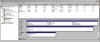
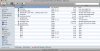
Using 4.3540, I tried the compressor for the first time on the migrated vm. I have 2 hdd images with 3 partitions in the first and 1 in the second. This is how the machine was configured prior to being transported.
I always used manual mode for the v3.x compressor and tried the fully automated run this time. This reminded me why I always used manual mode: the 2nd hdd image isn't touched.
This isn't fun at all. I have to be here to click next, ok, continue etc to keep the compressor running. Parallels, why doesn't the automated run compress the 2nd hdd image?
Support may wish to know:
Model Name: Mac Pro
Model Identifier: MacPro1,1
Processor Name: Dual-Core Intel Xeon
Processor Speed: 2.66 GHz
Number Of Processors: 2
Total Number Of Cores: 4
L2 Cache (per processor): 4 MB
Memory: 7 GB
Bus Speed: 1.33 GHz
Boot ROM Version: MP11.005C.B08
SMC Version: 1.7f10
Macintosh HD:
Capacity: 232.57 GB
Available: 172.52 GB
Writable: Yes
File System: Journaled HFS+
BSD Name: disk0s2
Mount Point: /
Time Machine:
Capacity: 232.88 GB
Available: 14.26 GB
Writable: Yes
File System: Journaled HFS+
BSD Name: disk1s2
Mount Point: /Volumes/Time Machine
Storage:
Capacity: 232.44 GB
Available: 136.44 GB
Writable: Yes
File System: Journaled HFS+
BSD Name: disk1s3
Mount Point: /Volumes/Storage
More info can be seen in the attached images...
I always used manual mode for the v3.x compressor and tried the fully automated run this time. This reminded me why I always used manual mode: the 2nd hdd image isn't touched.
This isn't fun at all. I have to be here to click next, ok, continue etc to keep the compressor running. Parallels, why doesn't the automated run compress the 2nd hdd image?
Support may wish to know:
Model Name: Mac Pro
Model Identifier: MacPro1,1
Processor Name: Dual-Core Intel Xeon
Processor Speed: 2.66 GHz
Number Of Processors: 2
Total Number Of Cores: 4
L2 Cache (per processor): 4 MB
Memory: 7 GB
Bus Speed: 1.33 GHz
Boot ROM Version: MP11.005C.B08
SMC Version: 1.7f10
Macintosh HD:
Capacity: 232.57 GB
Available: 172.52 GB
Writable: Yes
File System: Journaled HFS+
BSD Name: disk0s2
Mount Point: /
Time Machine:
Capacity: 232.88 GB
Available: 14.26 GB
Writable: Yes
File System: Journaled HFS+
BSD Name: disk1s2
Mount Point: /Volumes/Time Machine
Storage:
Capacity: 232.44 GB
Available: 136.44 GB
Writable: Yes
File System: Journaled HFS+
BSD Name: disk1s3
Mount Point: /Volumes/Storage
More info can be seen in the attached images...