
If you have Outlook running in PD 16.1.0, could you please try dragging an attachment from an email and drop it to your mac's Finder or mac's desktop?
For me, once I do that, I see:

a file gets created in Finder/Desktop on mac, but it's ZERO SIZE, and the Copy dialogue stays on the screen for a long time. The "STOP" button doesn't respond, and when I click X, it dissapears, but within 15-20 seconds I get a PD crash screen.
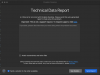
I've submitted a few of these reports to PD, and opened a case. But they don't seem to be able (unwilling?) to replicate it.
Am I alone?
For me, once I do that, I see:
a file gets created in Finder/Desktop on mac, but it's ZERO SIZE, and the Copy dialogue stays on the screen for a long time. The "STOP" button doesn't respond, and when I click X, it dissapears, but within 15-20 seconds I get a PD crash screen.
I've submitted a few of these reports to PD, and opened a case. But they don't seem to be able (unwilling?) to replicate it.
Am I alone?