Parallel 10 + Win7 install problem

JerryB1

Bit poster
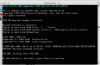
I'm a new Parallel user. I have a Macbook Pro Retina. Recently acquired Parallel 10 and also have my Win7 ISO image files. I followed the step-by-step Parallel Desktop installation guide for Windows until I reached here;
upload_2015-2-11_10-24-55.png

I just couldn't get pass this point. I did connect SATA2 to Win7 image files prior to the start of Win7 installation. Can anyone help?
 
There is a serious problem related to how you provide the upgrade to
Parallels Desktop for Mac 10.1.4-28883.
Once I have clicked the Download and Install button, it is impossible to
postpone the download. After the download, I cancelled the installation
and then tried to run Parallels 10.1.3. It wouldn't let me.
It insists on performing th installation right there and then.
You jinxed my version 10.1.3. This is not acceptable.
Note that in my environment, not everyone has the administrative password
for their own Mac.
It is necessary for you to fix this horrible problem by making it possible
to postpone the installation of the next version, even if I have already
downloaded the new version. This is needed quickly!
Never jinx the user in this way again!
 
Back
Top