
Install the app
How to install the app on iOS
Follow along with the video below to see how to install our site as a web app on your home screen.
Note: This feature may not be available in some browsers.
You are using an out of date browser. It may not display this or other websites correctly.
You should upgrade or use an alternative browser.
You should upgrade or use an alternative browser.
Parallels 10 - Windows 7 Problem
- Thread starter ShayneC
- Start date
Andres Tamez
Bit poster
I just updated also my Parallels from V.9 to V.10 and what a surprise..... my windows it's not running any more!!!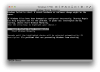 I need a solution ASAP!!!!
I need a solution ASAP!!!!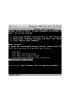
I am also experiencing the loss of audio and loud popping sounds regardless of system volume. The only way to get rid of the popping is to (within your Windows VM) go to Control Panel -> Sound -> select the "Sounds" tab -> select "No Sounds" from the Sound Scheme drop down box. You now have no audio but the popping goes away.
I also tried importing my Windows 7 Pro x86 VM into other VM software and it functions properly without any issues. Hopefully Parallels will take this seriously and correct major issues quickly.
I also tried importing my Windows 7 Pro x86 VM into other VM software and it functions properly without any issues. Hopefully Parallels will take this seriously and correct major issues quickly.
I opened a ticket and the provided fix was http://kb.parallels.com/122691
So, I applied and it worked out fine. The system is now running ok.
So, I applied and it worked out fine. The system is now running ok.

I opened a ticket and the provided fix was http://kb.parallels.com/122691
So, I applied and it worked out fine. The system is now running ok.
Hi there,
Thanks for sharing & glad that your issue is fixed. Feel free to reach us, if you need any further help with Parallels.
I have just upgraded to Version 10 and now find that sound doesn't work anymore. All i get is a poping sound when any audio is played.
Does anyone have a fix or ideas ?
Thanks
Hi ShayneC,
Please generate a Problem Report ID as suggested at http://kb.parallels.com/9058 and provide us the PR ID, so we can check it for you.
Nathan_Wendt
Bit poster
For me, the automatic sharing of web cameras was already disabled, but the sharing of bluetooth devices was not. When I unchecked the sharing of bluetooth devices, the no audio/popping issue resolved itself. This worked after I had already tried changing audio settings both on and within the Windows 7 VM.I opened a ticket and the provided fix was http://kb.parallels.com/122691
So, I applied and it worked out fine. The system is now running ok.