Parallels 11 Installation stuck in "Startup Repair"

GregS6

Bit poster
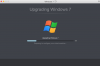
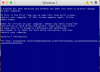
I was able to have my Windows 7 PC transferred over to my 2014 Macbook Pro running Yosemite. When windows 7 tried to boot up. I first get a window that says "Upgrading Windows 7". There is a progress bar that states "Preparing to configure your virtual machine". Within about 5 minutes I get to the Startup Repair screen and am told that "Windows cannot repair this computer automatically". I am given the choice of yes or no to "Are you sure you want to exit Startup Repair and restart your computer?". Choosing "Yes" just repeats the process and I end back at this same screen.Screen Shot 2016-06-13 at 2.14.55 PM.pngScreen Shot 2016-06-13 at 2.15.25 PM.png
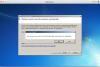
 
I found an KB and tried this:
==================
Open your Virtual Machine's Configuration -> Hardware -> Boot Order and add the following string into the Boot flags field:
vm.compat_level=2
also check "Select boot device on startup"
================

This just led to the BSOD and going back into the whole cycle Startup Repair again
 
Hi GregS6,
Try to change virtual Hard Drive location to IDE. To do it:
Go to the Virtual Machine Configuration -> Hardware tab -> Hard Disk 1
Change Location from SATA to IDE or from IDE to SATA.
 
Back
Top