Parallels 12 Documents, Desktop, Music, etc. Libraries

Chicagot

Junior Member
I point my libraries to my mac
  • Documents points to (\\Mac\Home\Documents)
  • Desktop
  • etc
This allows one set of files on both the Mac and Windows. It has worked fine all the way through P11, but it's not working in P12. I tried reseting the "locations" in Windows 10, but P12 rejects the change. If I traverse the files, it sees them fine in the File Explorer, so this is very strange.
 
I did - but that didn't fix it. I can use the file explorer to get to the files - so the VM does see them. At boot time, it just has this issue. Went back to v11 for now, which works totally fine.
 
I did - but that didn't fix it. I can use the file explorer to get to the files - so the VM does see them. At boot time, it just has this issue. Went back to v11 for now, which works totally fine.
If you would like to, we can continue the investigation. But we need a bit more information, for example step-by-step instructions in order to reproduce this issue on our test environments, screenshots and etc.
Are you ready to continue investigation? If yes, please just reply us.
 
i had a similar issue after using a snapshot that was taken with parallels desktop 11. I had to reinstall parallels tools in my VM's after updating and everything went back to normal
 
Hello All,
Please be informed that Parallels Desktop 12 for Mac Hotfix 1 (12.0.1-41296) was released and the issue has been addressed. Please update Parallels Desktop to the latest build. Latest version is always available here . Please note that Parallels Tools also needs to be updated (Actions > Update Parallels Tools) and let us know how it works. Thanks!
 
The hot fix has solved most issues I had but the Acronis option is still not showing in my parallels desktop menu from the drop down menu. The option to backup with acronyms true image is simply not there? I do have an open ticket on this 2304477. Just curious if you have had a chance to look into this yet.
 
Last edited:
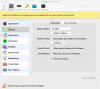
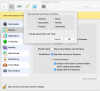
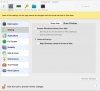
Could you post a screen shot of your sharing and applications Settings for your VM?
Please be sure to expand the advanced tab also when capturing the screen. Im going to try to reproduce the issue myself. Thanks for your patience
 
Just upgraded again - same issue - here are the screen shots

Wonder what it is - as soon as I back down to P11, it's fine.
 

Attachments

  • P12 error.png
    P12 error.png
    10.5 KB · Views: 4
  • P12 error - Sharing 1.png
    P12 error - Sharing 1.png
    238.3 KB · Views: 6
  • P12 error - Sharing 2.png
    P12 error - Sharing 2.png
    272.7 KB · Views: 5
  • P12 error - Sharing 3.png
    P12 error - Sharing 3.png
    223 KB · Views: 3
Problem ID: 116345542
To add some additional context - decided to build a new VM starting with P12 (not an upgrade) - exact same situation.
 
Back
Top