
Install the app
How to install the app on iOS
Follow along with the video below to see how to install our site as a web app on your home screen.
Note: This feature may not be available in some browsers.
You are using an out of date browser. It may not display this or other websites correctly.
You should upgrade or use an alternative browser.
You should upgrade or use an alternative browser.
Parallels 12 & Windows 10: A miserable experience
- Thread starter trippfitz
- Start date

Hello Trippfitz,Since I upgraded to parallels 12 nothing works right. Windows 10 is slowwww to boot, and the keyboard doesn't work in certain native windows programs...like Edge and Cortana search. I am not impressed. Does anyone know how to fix this stuff?
Go to Actions > Configure > Options > Optimization > disable Free Space: Real-time Virtual Disk Optimization.
If the "Real-time Virtual Disk Optimization" option is enabled, it may slow disk performance up to 30% (at the moment of compaction, not constantly). If the host has an SSD disk, the feature will be enabled by default for all virtual machines but will work only if it is compatible with the guest OS.
Open virtual machine configuration > switch to Options tab > Optimization tab > Set performance to Faster virtual machine; check Enable adaptive hypervisor and Tune Windows for speed. If you're not running on battery power, you can also turn on the Better performance option and let us know how it works.
Hello Trippfitz,
Go to Actions > Configure > Options > Optimization > disable Free Space: Real-time Virtual Disk Optimization.
If the "Real-time Virtual Disk Optimization" option is enabled, it may slow disk performance up to 30% (at the moment of compaction, not constantly). If the host has an SSD disk, the feature will be enabled by default for all virtual machines but will work only if it is compatible with the guest OS.
Open virtual machine configuration > switch to Options tab > Optimization tab > Set performance to Faster virtual machine; check Enable adaptive hypervisor and Tune Windows for speed. If you're not running on battery power, you can also turn on the Better performance option and let us know how it works.
Thank you, but I just gave up and went back to 11. It works great and I didn't have to do anything extra.
I'm having a similar problem. I get the login window, and enter my password.
Then I get the Welcome message for ever; sometimes if I use the Action/Reset menu item, I can actually log on. But as of right now, I've tried it 5 times and can't get beyond the "Welcome" message after logon.
How did you go back to 11? Did you have to reload anything?
Then I get the Welcome message for ever; sometimes if I use the Action/Reset menu item, I can actually log on. But as of right now, I've tried it 5 times and can't get beyond the "Welcome" message after logon.
How did you go back to 11? Did you have to reload anything?
Aude_Grégoire
Bit poster
I'm having a similar problem. I get the login window, and enter my password.
Then I get the Welcome message for ever; sometimes if I use the Action/Reset menu item, I can actually log on. But as of right now, I've tried it 5 times and can't get beyond the "Welcome" message after logon.
How did you go back to 11? Did you have to reload anything?[/QUOTE
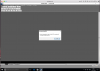
Since Yesterday I'm having this problem with some others problem with softwares that run on win10... I repaired win 10 with not success, reinstall parallel tools but it's the same... I'm very disappointed, I don't know how to work...
Attachments

Maria@Parallels
Problem solver
Hi, could you share more details please?
Aude_Grégoire
Bit poster
police missing on window, autocad not run properly...
Yeah, I couldn't get the virtual machine I made in 12 to work very well in 11. It would open in 11, but it was just as slow. So, I had to redo a Windows install from scratch. I wish I'd googled before I upgraded, because I don't think the problem is uncommon. I love 11, but I won't be going back to 12 anytime soon, if ever. I doubt I'll get a refund or the 4 hours of my life back.
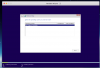
I'm following this thread as my earlier and non existent Parallels support doesn't answer my request. I have Parallels 12.1.1 bought Windows 10 and downloaded the .iso file. Tried loading it with the new registration key and I always get prompted that it's not a valid license and I called Microsoft for them to confirm it is. I hope so as I bought it from their website. Parallels support is nearly non existent. I don't want to tweet or Fbook my problem I want to communicate with someone who knows how to fix it. Very Unhappy customer
Raj@Parallels
Guest
Please try creating Windows virtual machine with Express Installation unchecked and keep us posted how it works.This is the message I get when I try and load the softwareView attachment 11985
As usual Parallels rushed v12 to market in order to justify the upgrade. Every year we must pay $50 to upgrade to the latest Parallels version which could be a t**d depending on what the development team was able to build by deadline. Personally, I stopped upgrading after PD10 and switched to VMWare Fusion for new client installs. I still run 1 VM on PD10 but that's it, Parallels will not get my business until they get their act together.
Ive learnt my lesson. Running Win 10 is now painfully slow on Parallels 12 for Mac and as someone else mentioned the keyboard doesn't work for native windows text fields.
Switching back to 10 and I'll be looking at alternatives. How do I get the upgrade cost back?
I don't think you can get your money back for the upgrade. If it was a new account/purchase they may be able to refund. I experienced similar issues after upgrading one of my Macs to PD11 and simply reinstalled PD10 and went on w/ my life. I never upgraded to PD12 and never will. I've already switched to another product (VMWare) and I'm happy. Much better licensing terms and VMs seem to run okay for now.
Ive spent the last day of my holiday trying to fix the issue. I still don't know what the root cause is, but reverting to Parallels 10 and 11 did not fix it. I had to revert to a snapshot that was prior to the Parallels 12 upgrade and it all works OK again, even in 12 !
It looks as though the 12 upgrade did something funky to Win 10, I'm guessing it was the tools install, however uninstalling tools did not fix it.
I even tried restoring a disk image of the VM to VMware Fusion using Macrium Reflect. It exhibited exactly the same problems, so that perhaps again points to the Parallels 12 tools being the cause of the problem.
In any event I don't plan on repeating the exercise so Ive switched to Fusion!!
It looks as though the 12 upgrade did something funky to Win 10, I'm guessing it was the tools install, however uninstalling tools did not fix it.
I even tried restoring a disk image of the VM to VMware Fusion using Macrium Reflect. It exhibited exactly the same problems, so that perhaps again points to the Parallels 12 tools being the cause of the problem.
In any event I don't plan on repeating the exercise so Ive switched to Fusion!!
Hi IanW3, we would like to fix the issue in Parallels Desktop 12 or Mac. Please check out this article how to convert VM to Parallels VM. Have you installed any new software on Windows virtual machine after the upgrade of version 12? If so, please uninstall and check the performance. If the issue persists, please go to Actions > Configure > Options > Optimization > disable Free Space: Real-time Virtual Disk Optimization.Ive learnt my lesson. Running Win 10 is now painfully slow on Parallels 12 for Mac and as someone else mentioned the keyboard doesn't work for native windows text fields.
Switching back to 10 and I'll be looking at alternatives. How do I get the upgrade cost back?
If the "Real-time Virtual Disk Optimization" option is enabled, it may slow disk performance up to 30% (at the moment of compaction, not constantly). If the host has an SSD disk, the feature will be enabled by default for all virtual machines but will work only if it is compatible with the guest OS.
Open virtual machine configuration > switch to Options tab > Optimization tab > Set performance to Faster virtual machine; check Enable adaptive hypervisor and Tune Windows for speed. If you're not running on battery power, you can also turn on the Better performance option.
Maria@Parallels
Problem solver
Hi, we've found that you didn't contact support, but we will be glad to help you.Totally agree - Parallels 12 is a dog.
1) Takes FOREVER to boot and sometimes seems to hang.
2) My keyboard is not recognised.
It was working fine before and I have no patience for the arrogance of this company. I am heading back to VMWare.
If you decide to continue investigation just provide us with the detailed issue description. Thanks for your time.
I have the same issue. Windows 10 is simply not usable with Parallels Desktop version 12...
I have 16GB ram, MacBook Pro with all extras, SSD. So shouldn't be a problem there.
I've also tested all workarounds from PD, disk opt. hypervisor, re-install parallels tools, etc etc. None of this helped (which kind of makes sense since the issues started when upgrading from V. 11 to V. 12).
@Maria@Parallels is there a plan and active development work to fix this? if so, when can we expect PD12 performance back to normal?
I have 16GB ram, MacBook Pro with all extras, SSD. So shouldn't be a problem there.
I've also tested all workarounds from PD, disk opt. hypervisor, re-install parallels tools, etc etc. None of this helped (which kind of makes sense since the issues started when upgrading from V. 11 to V. 12).
@Maria@Parallels is there a plan and active development work to fix this? if so, when can we expect PD12 performance back to normal?
Hi @DavidE7, are you using Windows 10 Creators update 64 bit? If so, please try a 32 bit or Anniversary update to check the performance in the virtual machine.I have the same issue. Windows 10 is simply not usable with Parallels Desktop version 12...
I have 16GB ram, MacBook Pro with all extras, SSD. So shouldn't be a problem there.
I've also tested all workarounds from PD, disk opt. hypervisor, re-install parallels tools, etc etc. None of this helped (which kind of makes sense since the issues started when upgrading from V. 11 to V. 12).
@Maria@Parallels is there a plan and active development work to fix this? if so, when can we expect PD12 performance back to normal?