
P
Parallels User
Hi there,
I'm guessing my chances of getting this issue resolved are pretty slim since there probably aren't any parallels 8 Softimage users lurking around but this used to work fine in Parallels 7 so I thought I'd mention it. For some reason, when i edit geometry in softimage, everything goes bright white
I can still work but it's pretty annoying. Are there any other graphics card settings i could try?
It goes from working fine like this ->

to glitching out like this when I edit a mesh ->
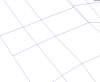
Any help would be great!
Thanks
Pete
I'm guessing my chances of getting this issue resolved are pretty slim since there probably aren't any parallels 8 Softimage users lurking around but this used to work fine in Parallels 7 so I thought I'd mention it. For some reason, when i edit geometry in softimage, everything goes bright white
I can still work but it's pretty annoying. Are there any other graphics card settings i could try?
It goes from working fine like this ->
to glitching out like this when I edit a mesh ->
Any help would be great!
Thanks
Pete
Last edited by a moderator:
 I just deal with it now and try to get the job done. Since a few people have popped up with the same issue maybe it's time to attempt to find a solution again. I'll make a video to send to the support team and see what happens because it would be ace to fix!