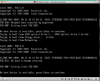
I have a 2013 MacBook Air running Mavericks 9.1. I have installed Windows 8.1 in BootCamp (which runs fine). When I launch Parallels 9 (Build 9.0.24172
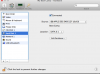
(Revision 951362; Tuesday, December 3, 2013)) it cannot find my Bootcamp volume and shows the message attached. When I check the configuration menu in Parallels it look like it is pointing to drive 0:1 (attachment 2) but in the System Report in About this Mac it looks to me that Bootcamp is actually drive 0:4. When I try to reconfigure Parallels to drive 0:4 I get the following error message -
Error: PRL_ERR_DISK_FILE_EXISTS (0x80021012)
Path: '/Users/markmiller/Documents/Parallels/My Boot Camp.pvm/APPLE SSD SM0512F (disk0).hdd'
Any help getting my Parallels to run would be appreciated.
(Revision 951362; Tuesday, December 3, 2013)) it cannot find my Bootcamp volume and shows the message attached. When I check the configuration menu in Parallels it look like it is pointing to drive 0:1 (attachment 2) but in the System Report in About this Mac it looks to me that Bootcamp is actually drive 0:4. When I try to reconfigure Parallels to drive 0:4 I get the following error message -
Error: PRL_ERR_DISK_FILE_EXISTS (0x80021012)
Path: '/Users/markmiller/Documents/Parallels/My Boot Camp.pvm/APPLE SSD SM0512F (disk0).hdd'
Any help getting my Parallels to run would be appreciated.