Parallels (9) Display Adapter Problems on Windows 7

Saladino

Bit poster
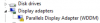
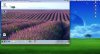
I am having trouble with the display on Windows 7 via Parallels 9. I have tried other operating systems and none of them have problems with their display except for Windows 7. I have checked under the device manager and discovered that it lists the display driver as "Standard VGA Graphics Adapter" instead of "Parallels Display Adapter (WDDM)". I have tried reinstalling Parallels Tools, which completes the process fine, but I end up still with the wrong driver.

How can I fix this?

Thanks for your help!
Screen Shot 2013-12-16 at 6.09.26 PM.jpg
 
To install Parallels display driver right-click on Microsoft Basic display and select Update Driver Software... from the menu. Then press "Browse my computer for driver software", then "Let me pick from a list of device drivers on my computer", then "Have disk..." button. Click "Browse..." button and navigate to C:\Program Files <or Program Files (x86) for 64-bit Windows>\Parallels\Parallels Tools\Drivers\prl_dd, then double click prl_dd.inf file and click OK. Then click Next and confirm driver installation.

However, it's not normal that tools didn't install properly for you. I'd try to uninstall/reboot/install again and see what happens. If that doesn't help generate a problem report via Parallels help menu and post report ID here.
 
So I have tried what you said, it says I need to restart for the new display adapter to work. I restart, but it freezes on restart. When I force shut down the virtual machine and startup again, I get an error message saying windows cannot start, and I have to restore to start it up. If I try to go ahead and start it up I just get a black screen, if I restore windows the display adapter is back to the old "Standard VGA Graphics Adapter".

here is the report ID: 33551695
 
Last edited:
Remove all text from VM Configuration > Hardware > Boot order > Boot flags and re-install tools again. The line "devices.video.pci_device_id=0x5005" that you have there is what prevents Parallels display driver to install properly.
 
So, I have removed all boot flags, and reinstalled parallels tools. However, now when I try to restart after Parallels Tools, all that happens is I get a message saying windows could not start and needs to go through repair process. If I proceed with startup, I get a black screen, which I can do nothing with. It goes through repairs and then starts up, and it shows Parallels Display Adapter (WDDM) under Display Adapters in the Device Manager, but it has a little yellow exclamation point next to it. The resolution still looks off too. Then a message comes up saying I must restart my computer to apply these changes. When I try to restart I get a black screen again.
 
Last edited:
Update to the latest build of Parallels Desktop 9.0.24172 via Parallels Desktop menu > Check for Updates and let tools update. This should fix Windows booting problem. If the display driver still doesn't install try uninstalling-then-reinstalling tools again. If anything goes wrong again generate a new problem report and post id here.
 
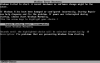
Okay, I have updated to the latest build, and now when I try to boot I cannot. It goes to startup repair and tries to fix any errors it finds. When it finishes it says "Startup Repair cannot repair this computer automatically" says I can Send information about this problem. When I do that it says "Windows is checking for a solution to this problem. Again it says "Windows cannot repair this computer Automatically." I eventually get it to startup again by going to System Restore, the Parallels Display Adapter (WDDM) now shows up under Device Manager, but it has a little yellow exclamation point. When I exit out of this it says system needs to restart for changes to take effect. I do that and end up with a blank screen. When I force it to restart, now it says it cannot start windows and I need to do a startup repair again.

Screen Shot 2013-12-19 at 12.40.12 PM.png

Screen Shot 2013-12-19 at 1.14.09 PM.png

Screen Shot 2013-12-19 at 1.24.10 PM.png
 
Last edited:
Saladino,

I have passed your case to our support staff. They will contact you via email and offer help to fix your VM boot issues. Keep an eye on your inbox.
 
Back
Top