æ —èªŒï¿¼å
Bit poster
Hello,
I'm using Parallels to run Windows XP, and my most often using software is Microsoft Visual Studio 2010.
I was using Mac OS X 10.7.5 and Parallels Desktop 7, and everything works well.
Last month I upgrade my Parallels Desktop 7 to Parallels Desktop 9.
I found that Ctrl+Space will open the Spotlight in the Mac OS X. (before upgrading to Parallels Desktop 9, the behavior is change language in Windows XP. This is the correct behavior for me)
I don't remember what I did, but in the end I fixed it.
Perhaps I changed the 'system shortcuts' setting or something like that.
Last week I upgrade my Mac OS X 10.7.5 to 10.9 Mavericks.
After I finished the upgrade progress I found that the Ctrl+Space is not working, again.
I found F9, F10, F11, F12 are not working, too.
When I press these keys, the Mission Control will response, and the Microsoft Visual Studio 2010 will not response. That is not what I need.
I tried to change 'system shortcuts' settings but none of these option will work, it seems making no difference.
I tried to remove Parallels Desktop (move it into trash?), and reinstall it. The problem is still there.
Anyone know why?
By the way, my Parallels Desktop 9 is Chinese version, so I don't know whether the word 'system shortcuts' is the correct translation in English.
I am sorry for that.
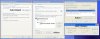
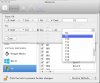
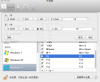
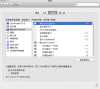
I'll put a screenshot here to describe what I mean.
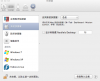
Help me please. Thank you.
I'm using Parallels to run Windows XP, and my most often using software is Microsoft Visual Studio 2010.
I was using Mac OS X 10.7.5 and Parallels Desktop 7, and everything works well.
Last month I upgrade my Parallels Desktop 7 to Parallels Desktop 9.
I found that Ctrl+Space will open the Spotlight in the Mac OS X. (before upgrading to Parallels Desktop 9, the behavior is change language in Windows XP. This is the correct behavior for me)
I don't remember what I did, but in the end I fixed it.
Perhaps I changed the 'system shortcuts' setting or something like that.
Last week I upgrade my Mac OS X 10.7.5 to 10.9 Mavericks.
After I finished the upgrade progress I found that the Ctrl+Space is not working, again.
I found F9, F10, F11, F12 are not working, too.
When I press these keys, the Mission Control will response, and the Microsoft Visual Studio 2010 will not response. That is not what I need.
I tried to change 'system shortcuts' settings but none of these option will work, it seems making no difference.
I tried to remove Parallels Desktop (move it into trash?), and reinstall it. The problem is still there.
Anyone know why?
By the way, my Parallels Desktop 9 is Chinese version, so I don't know whether the word 'system shortcuts' is the correct translation in English.
I am sorry for that.
I'll put a screenshot here to describe what I mean.
Help me please. Thank you.