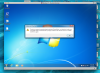
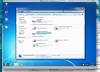
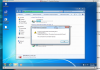
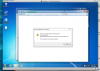
For the past week when trying to log in to Donor Perfect via Parallels, I have been getting the message in the Error Message Screen Shot. In the recent past, I've received that message, but that was because the hard drive was off. Not this time! I have uninstalled and reinstalled Parallels Tools, and the drivers are supposedly up to date. The Network Problem Screen Shot illustrates where there is a disconnect, and the Detail 1/Detail 2 Screen Shots state the disconnect details. But, I am at a loss in finding a way to fix this issue. Everyone else in the office can access Donor Perfect, I can't, and it's essential to my job and my integrity. Any help is greatly appreciated.

Parallels 9 / Windows 7 experiencing a problem
- Thread starter AmandaS1
- Start date