Parallels 9 - Windows XP "An error occurred while accessing the Hard Disk 1"

Upgraded to v9 this morning. A windows XP virtual machine that has worked fine for a long time, first time booting comes up with windows XP logo and starts to boot then suddenly presents the following:
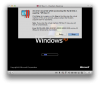
Screen Shot 2013-08-29 at 10.58.58.png

Retry just keeps cycling round.

STOP terminates the boot. I've tried rebooting the Mac to no avail.

I contacted chat support but they just offered stock answers from the Knowledge Base which I've tried. There's no evidence of disk corruption on the Mac.

Any thoughts?
 
We are sorry for the inconvenience, but we can not help with your problem until you'll provide us some information.

We need a problem report from the VM you experience problem with when this dialog is on the screen. Can you pls generate it for us (Help -> Report a problem) and post its number here.

At the moment (according to the error number on the screen) it looks really strange. It looks like some memory allocation has been failed...
 
Many thanks.

I've generated the report, number 28086723

I look forward to your response as I'm keen to resolve this as soon as possible.
 
unfortunately, or fortunately, PD9 checks virtual disk consistency more precise. Some algorithms were changed and these checks becomes mandatory. There are some inconsistencies on your virtual disk which were not seen by PD8 and seen by PD9. They will definitely fire in future even if you'll use PD8.

Can you pls try to run the following command for your disk _on stopped VM_? This will try to restore the consistency of the disk image
prl_disk_tool check --hdd "/Users/chrispratt/Documents/Parallels/XP Dev II.pvm/windowsApps.hdd/"
You can backup the disk if you fear about the result. This command will scan the image and try to resolve all inconsistencies we know.
 
OK, many thanks. I'm just backing it up now (which is going to take some time). I'll run the command and report back.
Many thanks for the prompt response.
 
I have tried what you said on both hard disks in the Virtual machine but without success.
I have posted another report when the virtual machine hung, report number 28090375

Interestingly when I ran prl_disk_tool I got the following output:


unknown:~ chrispratt$ prl_disk_tool check --hdd "/Users/chrispratt/Documents/Parallels/XP Dev II.pvm/windowsApps.hdd/"
objc[38297]: Class NSObject_PrlAdditionsStaticLibsWorkaround is implemented in both /Applications/Parallels Desktop.app/Contents/Frameworks/ParallelsVirtualizationSDK.framework/Versions/5/Libraries/libprl_sdk.5.dylib and /Applications/Parallels Desktop.app/Contents/MacOS/prl_disk_tool. One of the two will be used. Which one is undefined.
objc[38297]: Class NSString_QStringStaticLibsWorkaround is implemented in both /Applications/Parallels Desktop.app/Contents/Frameworks/ParallelsVirtualizationSDK.framework/Versions/5/Libraries/libprl_sdk.5.dylib and /Applications/Parallels Desktop.app/Contents/MacOS/prl_disk_tool. One of the two will be used. Which one is undefined.
objc[38297]: Class NSString_UUIDGeneratorStaticLibsWorkaround is implemented in both /Applications/Parallels Desktop.app/Contents/Frameworks/ParallelsVirtualizationSDK.framework/Versions/5/Libraries/libprl_sdk.5.dylib and /Applications/Parallels Desktop.app/Contents/MacOS/prl_disk_tool. One of the two will be used. Which one is undefined.
objc[38297]: Class NSTimer_BlockStaticLibsWorkaround is implemented in both /Applications/Parallels Desktop.app/Contents/Frameworks/ParallelsVirtualizationSDK.framework/Versions/5/Libraries/libprl_sdk.5.dylib and /Applications/Parallels Desktop.app/Contents/MacOS/prl_disk_tool. One of the two will be used. Which one is undefined.
Operation progress 100 %
unknown:~ chrispratt$ prl_disk_tool check --hdd "/Users/chrispratt/Documents/Parallels/XP Dev II.pvm/XP Dev Environment.hdd/"
objc[38572]: Class NSObject_PrlAdditionsStaticLibsWorkaround is implemented in both /Applications/Parallels Desktop.app/Contents/Frameworks/ParallelsVirtualizationSDK.framework/Versions/5/Libraries/libprl_sdk.5.dylib and /Applications/Parallels Desktop.app/Contents/MacOS/prl_disk_tool. One of the two will be used. Which one is undefined.
objc[38572]: Class NSString_QStringStaticLibsWorkaround is implemented in both /Applications/Parallels Desktop.app/Contents/Frameworks/ParallelsVirtualizationSDK.framework/Versions/5/Libraries/libprl_sdk.5.dylib and /Applications/Parallels Desktop.app/Contents/MacOS/prl_disk_tool. One of the two will be used. Which one is undefined.
objc[38572]: Class NSString_UUIDGeneratorStaticLibsWorkaround is implemented in both /Applications/Parallels Desktop.app/Contents/Frameworks/ParallelsVirtualizationSDK.framework/Versions/5/Libraries/libprl_sdk.5.dylib and /Applications/Parallels Desktop.app/Contents/MacOS/prl_disk_tool. One of the two will be used. Which one is undefined.
objc[38572]: Class NSTimer_BlockStaticLibsWorkaround is implemented in both /Applications/Parallels Desktop.app/Contents/Frameworks/ParallelsVirtualizationSDK.framework/Versions/5/Libraries/libprl_sdk.5.dylib and /Applications/Parallels Desktop.app/Contents/MacOS/prl_disk_tool. One of the two will be used. Which one is undefined.
Operation progress 100 %
unknown:~ chrispratt$
 
I know about this output, it is harmless and was fixed after my report to appropriate developer.

I am looking into the report right now...
 
OK. The problem is clear, i.e. I have understood what happens.

The guest performs IO operation beyond the end of your 88 Gb disk and this results in this fault. This was not the case for PD8.
I am starting to invent the cure.

Thank you for your report, we will try to do our best to include the fix for the situation into the upcoming hotfix. I am personally sorry for this problem.
 
do you have spare VM?

if so, guest file system check can help. You can mount this disk to those second VM (it should not boot from it, your current VM should be stopped) and perform check there or you can do this in PD8.

Your idea with resize can also help... prl_disk_tool can do this for your.

I believe that I am correct with the root case. Pls give me some time to perform the local experiment and simulate your problem.
 
Unfortunately not, but I can create one, install windows and try that.
Thanks anyway - look forward to the solution. I appreciate how these things take time....
 
this is my job. You can try to do this with PD8 and/or try resize first as AFAIR you have the backup.
 
I tried to resize using the GUI hard disk resize without success.
I no longer have parallels 8 - is there anyway to get the DMG file for it so I can re-install it?
 
pff... do it available through the site?

I have created the fix which should fix your case, but I have no test at the moment... We are working on the hotfix now.
 
No problem.
Just so you know, if I uncheck the CONNECTED box on Hard Disk 2, the Virtual Machine boots fine into windows.
I presume if I dowload the trial of PD8 (as that's the only link I can find to a download) I'll be able to enter my licence code and get it running.
 
Sorted. I've downgraded successfully back down to PSD8 and the disk can be seen again.

Good luck with the hotfix.

Many thanks for all the prompt help.
 
I have the same error except my Windows 7 VM can start but after a few minutes this error message pops up... I should have listened to my instinct and not upgrade to PD9 so early... should have waited until they iron out all the kinks in the system. I have been a user of PD since the version 2, and almost every major version upgrade has got major blocking issues... i am surprised that these were not discovered earlier during the testing... Now i have to go back to PD8... sigh...
 
I agree. I've switched back to PD8 and won't be installing 9 until I know that there's a fix. Unfortunately, unless it's announced I won't know as it would come through an update from within the app and I need 9 running to know that it's available. Vicious cycle. I'll just wait some time, 8 works fine for me at the moment....
 
Back
Top