I am using two Apple Ethernet adapters with two different VMs, which are all windows based.
Those two VMs belong to different intranet so I have to user two ethernet adapters to make them connect to their own intranet.
However, I think two identical USB adapters make parallels access confused.
Sometimes my guest OS could not connect to its own intranet.
After removing one of the adapters physically from the iMac, the connection of the guest OS becomes normal.
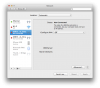
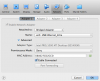
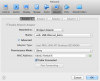
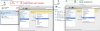
I notice in VM's configure -> Hardware -> Network, there are two USB Ethernet.
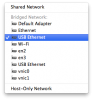
Two identical name might be the reason make Parallels Access confused?
To eliminate this possibility, is there any way to change the device name in Parallels Access?
Those two VMs belong to different intranet so I have to user two ethernet adapters to make them connect to their own intranet.
However, I think two identical USB adapters make parallels access confused.
Sometimes my guest OS could not connect to its own intranet.
After removing one of the adapters physically from the iMac, the connection of the guest OS becomes normal.
I notice in VM's configure -> Hardware -> Network, there are two USB Ethernet.
Two identical name might be the reason make Parallels Access confused?
To eliminate this possibility, is there any way to change the device name in Parallels Access?