I have recently installed Parallels on my Mac and I then installed Windows 7 in OS X using my Boot Camp partition. After it had completed I was left with 2 virtual machines, one called My Boot Camp and one called Windows 7. They both appear to be exactly the same and whatever I do in either one seems to reflected when I boot into Windows natively by holding the option key upon starting the computer. What I was wondering is why did Parallels create 2 virtual machines that are exactly the same? Did it intentionally do that or is it some kind of bug? Would it be fine for me to remove/delete one of the virtual machines?

Install the app
How to install the app on iOS
Follow along with the video below to see how to install our site as a web app on your home screen.
Note: This feature may not be available in some browsers.
You are using an out of date browser. It may not display this or other websites correctly.
You should upgrade or use an alternative browser.
You should upgrade or use an alternative browser.
Parallels created 2 identical virtual machines?
- Thread starter Baccalad
- Start date


kat
Product Expert
Hi Baccalad,
As I understand what you are saying:
you installed parallels
then you created a bootcamp partition on you mac and installed windows 7,
The question is did you install windows again?
If not did you get a screen that said you would need to reactivate you windows machine. If this is the case you should read this
Article about reactivation of bootcamp vm: http://kb.parallels.com/en/9703
BootCamp Information
Your MyBootCamp.pvm should be a link to your bootcamp partition (its like a window/door that can access the bootcamp installation trough your mac) you will need to install parallels tools. What you do in one should also occur in the other it is the same machine.
I have a MyBootCamp.pvm (this should be represented by a small iMac icon, on your desktop or in your Parallels folder )
Your Boot Camp partition drive should appear on you desktop like a hard drive with its name underneath (in your case Windows 7 unless you renamed it), you can also find this partition by going to: System Preference - System - Startup Disk you should only see one partition other than your mac.
If you have two .pvm you may have created a second .pvm during or after installation and given it the name Windows7. both will point to the same Boot Camp partition (if you did not rename the pvm it would give it the name My Boot Camp 1)
I hope this information helps.
kat
As I understand what you are saying:
you installed parallels
then you created a bootcamp partition on you mac and installed windows 7,
The question is did you install windows again?
If not did you get a screen that said you would need to reactivate you windows machine. If this is the case you should read this
Article about reactivation of bootcamp vm: http://kb.parallels.com/en/9703
BootCamp Information
Your MyBootCamp.pvm should be a link to your bootcamp partition (its like a window/door that can access the bootcamp installation trough your mac) you will need to install parallels tools. What you do in one should also occur in the other it is the same machine.
I have a MyBootCamp.pvm (this should be represented by a small iMac icon, on your desktop or in your Parallels folder )
Your Boot Camp partition drive should appear on you desktop like a hard drive with its name underneath (in your case Windows 7 unless you renamed it), you can also find this partition by going to: System Preference - System - Startup Disk you should only see one partition other than your mac.
If you have two .pvm you may have created a second .pvm during or after installation and given it the name Windows7. both will point to the same Boot Camp partition (if you did not rename the pvm it would give it the name My Boot Camp 1)
I hope this information helps.
kat
Last edited:
No I installed Windows 7 via boot camp and then after that I decided that I wanted to install Parallels and boot from boot camp. The Windows installation is on the boot camp partition, Parallels is just booting from that partition. What I don't understand is why Parallels is showing that there is 2 virtual machines. They both take up a mere 50mb or so on the Mac partition, since the Windows installation is on the boot camp partition. Both virtual machines seem to just boot from the boot camp partition.
kat
Product Expert
Hi Baccalad,
Yes you can create 2 VM pointing to the same bootcamp partition. (not the best practice) That appears to be what you have done or may have happened.
As in my prior answer to you I stated usually when this happens Parallels would automatically assign it the name My Boot Camp 1.
kat
Yes you can create 2 VM pointing to the same bootcamp partition. (not the best practice) That appears to be what you have done or may have happened.
As in my prior answer to you I stated usually when this happens Parallels would automatically assign it the name My Boot Camp 1.
kat
kat
Product Expert
Hi Baccalad,
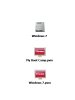
I created several jpg for you if your desk top looks similar to (see image one)
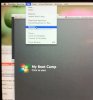
then, on select your parallels icon from your dock, both .pvm will appear select the one you would like to remove but do not start it. Go to the top parallels menu bar select file- then select remove (see image two)
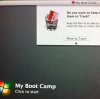
Then this screen will appear (see image three)
select move to trash . delete from trash.
Or you can select the .pvm you wish to delete and drag it to the trash.
kathy
I created several jpg for you if your desk top looks similar to (see image one)
then, on select your parallels icon from your dock, both .pvm will appear select the one you would like to remove but do not start it. Go to the top parallels menu bar select file- then select remove (see image two)
Then this screen will appear (see image three)
select move to trash . delete from trash.
Or you can select the .pvm you wish to delete and drag it to the trash.
kathy