Parallels desktop 10: "You have reached the maximum number of activations available"

TulioT

Bit poster
I'm trying to activate Parallels 10 on my new MacBook Pro. I already removed it from my previous mac, but I keep getting the maximum number of activations error. Can you help me? I tried to "deactivate" the license in the old mac, but apparently Parallels Desktop 10 doesn't have such option.
Thanks in advance!
 
I'm trying to activate Parallels 10 on my new MacBook Pro. I already removed it from my previous mac, but I keep getting the maximum number of activations error. Can you help me? I tried to "deactivate" the license in the old mac, but apparently Parallels Desktop 10 doesn't have such option.
Thanks in advance!
We have made necessary changes, try to activate again.
 
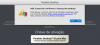
I have just tried again and it still doesn't work. My Parallels Desktop is in Portuguese, but here is the translated error message I get: "You have reached the maximum number of activations available for your activation key....."
 
Here is a screenshot (excluding the license key, naturally).
Thanks in advance for the assistance!

View attachment 12270
Please follow the instructions below:
1. Quit Parallels Desktop, then try to activate after launching it again.
2. If you are still unable to activate, Open Terminal on the Mac and execute this command: prlsrvctl activate-license-online
 
Back
Top