Parallels Desktop For Mac 11 & Windows 8.1

RichardL12

Bit poster
I have Parallels Desktop For Mac 11 & Windows 8.1 installed on my Apple iMAC OS High Sierra 10.13.1. After installing the last Mac OS my Parrelles no longer opens. It appears it can not locate my MS Windows 8.1 software. Has anyone had a similar experince when installing the latest Mac High Sierra?
 
Hello RichardL12, to find your Windows 8. 1 virtual machine, please follow the steps as suggested in this article and check if this works. Thanks!
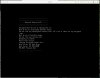
I followed your suggestion and do have a pvm.file. However Windows 8.1 does not open to provide a windows source for my webeditor program.I have attached the screen picture I have when the pvm file is opened. Richard
 

Attachments

  • pvm.jpeg
    pvm.jpeg
    97.8 KB · Views: 1
Since installing the Apple MACOS High Sierra I can no longer open parallels. My parallels is version For Mac 11.2.3. My windows softwareis veriosn 8.1.

I upgraded my Parells for MAC from Desktop 9.0 DMG to version 11.2.3. I have the original MS Windows8.1 64 & 32 bit discs. I can not update my website since it requires windows software for the web editor. Any help to resolve this issue will be greatly appreciated. Without this being resolved I can no longer maintain a family website I have enjoyed for many years.
 
Parallels_12.2_MacOS_High_Sierra_10.13.1.jpg MacOS Hgh Sierra 10.13.1
Windows 7 PRO
Parallels Desktop 12.2.1
I upgraded to MacOS High Sierra this past weekend.
I cannot open Parallels, I get a "no boot device error"
 
Hello DuaneC1, This might happen when virtual machine configuration files not being read correctly. Please follow as suggested below:

1.Shutdown the Windows virtual machine.

2.Open the virtual machine hard disk configuration: Actions(On the Mac menu bar) > Configure > Hardware tab > Hard Disk 1 > choose Disconnected option.

3.Close the Configuration menu and quit Parallels Desktop.

4.Launch Parallels Desktop and accesses the virtual machine hard disk configuration menu once again.

5.Select the source and navigate to the .hdd file located in the .pvm bundle.You should now see your virtual hard drive file listed in Source drop-down menu.

6.Close the Configuration menu and start the windows Windows virtual machine and see if this works.Thanks!
 
Last edited:
???
If I shut down Parallels I have no "action" button.
When the Parallels icon is opened I get the no boot, but i have an action button.
Configure is not a choice
Under 'preferences' & 'general' there is an option to locate the PVM file, which I set.
Nothing about 'disconenct'

This is what I have:
MacOS Hgh Sierra 10.13.1
Windows 7 PRO
Parallels Desktop 12.2.1
 
To add, I don't know if it means anything though.
My Parallels Toolbox" no longer automatically launches to the menu toolbar, but opens right away if I double click the application in Finder.
 
yes and then it fails to boot.

BUT I FIXED IT - exactly the same way I fixed problems the last time I upgrade my OS.

And I'm sure exactly the way parallels intended us to fix it.

I paid for the upgrade to the new version and all is normal. Imagine that.
 
Back
Top