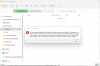
I have a peculiar issue where Parallels will be unable to connect to a shared drive on Mac.
The drive is mapped to the Mac from another Windows 7 PC and then shared with the Guest OS (Windows 7) through Mac.
However sporadically Parallels will be unable to connect to the drive, while it's still connected to the Mac and fully accessible outside of Parallels. The quick fix is to remove the share from Parallels and then reshare it and open Windows back up. Then the drive can be found again via Network Discovery.
The quick fix only lasts a few days and a couple reboots til it goes missing again. At first I thought it might be a Windows issue, but the locally shared folders aka the folders that exist on the Mac are still findable and connectable.
Any ideas?
Edit: Using Parallels 11 Desktop
The drive is mapped to the Mac from another Windows 7 PC and then shared with the Guest OS (Windows 7) through Mac.
However sporadically Parallels will be unable to connect to the drive, while it's still connected to the Mac and fully accessible outside of Parallels. The quick fix is to remove the share from Parallels and then reshare it and open Windows back up. Then the drive can be found again via Network Discovery.
The quick fix only lasts a few days and a couple reboots til it goes missing again. At first I thought it might be a Windows issue, but the locally shared folders aka the folders that exist on the Mac are still findable and connectable.
Any ideas?
Edit: Using Parallels 11 Desktop