Dear Forum,
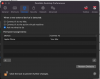
I have been a software developer for over twenty years and I (for the life of me) cannot figure out how to use the Permanent Assignments section of the Devices Tab on the Parallels Desktop Preferences window.
I am trying to assign my Pixel Phone to connect to my PC rather than my Mac. When I click on the item in the Devices column or the Connect To column, I see that there is a combo box for a split second, but am unable to make any selection. What the heck am i doing wrong??? Please Help!
I have been a software developer for over twenty years and I (for the life of me) cannot figure out how to use the Permanent Assignments section of the Devices Tab on the Parallels Desktop Preferences window.
I am trying to assign my Pixel Phone to connect to my PC rather than my Mac. When I click on the item in the Devices column or the Connect To column, I see that there is a combo box for a split second, but am unable to make any selection. What the heck am i doing wrong??? Please Help!