Parallels for mac version 13 and Sierra H

roberto.franchi

Bit poster
Hi,
are few days that the VM doesn't start.....

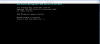
a error (PRL_ERR_DISK_OPERATION:NOT_ALLOWED) appear and the VM run (or try to load or try to recorery a previos image) for also 8 hours...

No OS update are done...

Can you suggest me how recovery the system?

Thanks a lot

 

Attachments

  • Errore.png
    Errore.png
    49.6 KB · Views: 1
The first error was "avvio di windows" (starting windows)... after more trys, with also 6-8 hours of waiting, I tryed to use a previous image and now this is the error (preparazione del ripristino automatico =preparation of authomatic recovery).
MAY BE A SPACE PROBLEM? I can expand the partition...I remember more than 100 gigabyte free on VM).

Best regards
 

Attachments

  • Ripristino.png
    Ripristino.png
    165.8 KB · Views: 2
I've seen the instruction... just a problem.. VM doesn't start...
May I reinstall Parallels saving the virtual machine? If is corrupted the VM may I start it in safe mode?
 
I create image every week.. this is backup for you?
Joint I'll attach the screenshot with error that appear when I launch the VM (errore parallel.png)
... If I try to use a previuos image this is the error (error 2 .png)
The problem may be conncect to update?
Can I try to reinstall Palleles 13?
I have another VF on other PC... in the worst case I can
- reinstall Parallel
- copy the VM on new installation?

Best regards
 

Attachments

  • ERRORE PARALLEL.png
    ERRORE PARALLEL.png
    154.7 KB · Views: 2
  • error 2.png
    error 2.png
    360.7 KB · Views: 3
Do you have a solution? Can I copy a VM from other computer and then change the windows code?
For the future I'll do backup of the VM
Thanks
 
Hello...
Can you said me if there is a a way to recovery the VM?
May I try to duplicate other VM on this notebook and change account and windows code?
The data are all in MAC environment, so I haven't loss of informations...
Can sai me something?,
 
Back
Top