Parallels Freezing During Install

DianaB1

Bit poster
I switched computers and I'm attempting to install Parallels Desktop for Mac (Pro Edition). After downloading the .dmg, I am able to open it and select 'Install'. When Parallels is then opened, the loading pinwheel freezes and never loads.

Working on a Macbook Pro running macOS Sierra 10.12.5.

Thanks in advance!
 
Hello DianaB1, please run a First Aid for your Mac Hard Disk(Utility > Disk utility > Select Mac Hard Disk > Run First Aid) restart the Mac and try to install the Parallels. If the issue still persists, please share some screenshots to help you further. Thanks, Shathish
 
Hi Shathish,
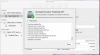
Running First Aid on my Hard Disk shows no issue.
upload_2017-7-18_9-51-55.png

After restarting, re-downloading the dmg, and re-installing, the issue still persists.

It seems that the installation is successful, but attempting to open Parallels once the installation is complete is where the issue is.

upload_2017-7-18_9-54-17.png
 
Hi @DianaB1,
Please open Terminal application (Finder > Applications > Utilities > Terminal);
Copy the following command, paste it into Terminal window and press Return:
sudo chown -R root:wheel /Library/Preferences/Parallels
Try to run Parallels Desktop now.
NOTE: Also, there might an alias called 'Parallels' in the /Library/Preferences directory instead of the folder called 'Parallels'. In such case please remove an alias.
 
I am having the same problem. Have run First Aid and also ran the Terminal code to no avail. I've sent this off as a problem, code = 198196080
Please try below steps and keep us posted:
1. Launch Terminal ( Finder > Applications > Utilities > Terminal).
2. Execute the following command:
sudo chown -R "${USER}" ~/Library/Parallels
3. Try launching Parallels Desktop once more.
 
As I said in my previous post I had tried the terminal command with no success. I have tried it again as suggested but it still hangs.
 
Thanks Arun. No Antivirus installed on the Mac. I had one in Windows 8.1 but obviously can't disable that.
Hi @ALEXK3, please follow the steps mentioned below to fix the issue:
1 Apple menu, open Force Quit window (keep it open)
2 Launch parallels, you will see Parallels desktop shown on the window
3 Choose PD and force quit.
4 Relaunch PD and then hopefully it works.
 
Back
Top