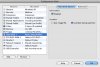
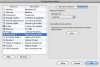
I had a Boot Camp partition under Tiger, which I used with Parallels 5160 without any problems. Before I installed Leopard, I upgraded to a new harddrive, and copied an image of my old Boot Camp partition over to it. This partition works perfectly when I reboot into it, but Parallels, while recognizing that I have a Boot Camp partition, always gets an error when attempting to start it. I have tried bot 5160 and 5540 without any success...

Install the app
How to install the app on iOS
Follow along with the video below to see how to install our site as a web app on your home screen.
Note: This feature may not be available in some browsers.
You are using an out of date browser. It may not display this or other websites correctly.
You should upgrade or use an alternative browser.
You should upgrade or use an alternative browser.
Parallels + new HDD + Boot Camp + Leopard = ?
- Thread starter mikekbrad
- Start date
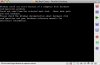
Now, with the new 5570 Build, I get the following message when I try to start the Boot Camp VM:
More than one Windows partitions are found. This is not a standard Boot Camp configuration. Please refer to the Parallels Desktop for Mac User Guide, Using Boot Camp Windows XP Installation chapter for instructions on how to configure Parallels virtual machine in case of a non-standard Boot Camp configuration on your Macintosh computer.
More than one Windows partitions are found. This is not a standard Boot Camp configuration. Please refer to the Parallels Desktop for Mac User Guide, Using Boot Camp Windows XP Installation chapter for instructions on how to configure Parallels virtual machine in case of a non-standard Boot Camp configuration on your Macintosh computer.
/dev/disk0
#: TYPE NAME SIZE IDENTIFIER
0: GUID_partition_scheme *149.1 Gi disk0
1: EFI 200.0 Mi disk0s1
2: Apple_HFS Macintosh HD 116.9 Gi disk0s2
3: Microsoft Basic Data NO NAME 31.8 Gi disk0s3
/dev/disk1
#: TYPE NAME SIZE IDENTIFIER
0: GUID_partition_scheme *232.9 Gi disk1
1: EFI 200.0 Mi disk1s1
2: Apple_HFS WD250 BACKUP 139.9 Gi disk1s2
3: Microsoft Basic Data WD250 BRAVO 92.7 Gi disk1s3
#: TYPE NAME SIZE IDENTIFIER
0: GUID_partition_scheme *149.1 Gi disk0
1: EFI 200.0 Mi disk0s1
2: Apple_HFS Macintosh HD 116.9 Gi disk0s2
3: Microsoft Basic Data NO NAME 31.8 Gi disk0s3
/dev/disk1
#: TYPE NAME SIZE IDENTIFIER
0: GUID_partition_scheme *232.9 Gi disk1
1: EFI 200.0 Mi disk1s1
2: Apple_HFS WD250 BACKUP 139.9 Gi disk1s2
3: Microsoft Basic Data WD250 BRAVO 92.7 Gi disk1s3