System:
imac 1.83, 1GB RAM, MAC OS 10.4.7
Parallels Desktop for Mac build 1848 w/ Windows XP SP2 installed
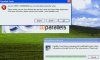
First thing after installing XP I tried to do the Parallels Tools install. It starts to load the setup then throws an error:
An error (-5009: 0x80004002) has occurred while running the setup.
Please make sure you have finished any previous setup and closed other applications. If the error still occurs, please contact your vendor: (www.parallels.com).
I've restarted both Parallels and the Mac several times and always get the same error at the same spot. Anybody got any ideas?
imac 1.83, 1GB RAM, MAC OS 10.4.7
Parallels Desktop for Mac build 1848 w/ Windows XP SP2 installed
First thing after installing XP I tried to do the Parallels Tools install. It starts to load the setup then throws an error:
An error (-5009: 0x80004002) has occurred while running the setup.
Please make sure you have finished any previous setup and closed other applications. If the error still occurs, please contact your vendor: (www.parallels.com).
I've restarted both Parallels and the Mac several times and always get the same error at the same spot. Anybody got any ideas?