
Install the app
How to install the app on iOS
Follow along with the video below to see how to install our site as a web app on your home screen.
Note: This feature may not be available in some browsers.
You are using an out of date browser. It may not display this or other websites correctly.
You should upgrade or use an alternative browser.
You should upgrade or use an alternative browser.
PARALLELS TOOLS ON ARCH LINUX ARM, KERNEL 5.11.4-1-ARCH
- Thread starter RizzoA
- Start date

(GalaxyMaster)
Hunter
I don't have M1, but I guess you will need to apply my patch from the 5.11 thread + there is also a patch for the ARM based distros (I think it will be in the same thread as my 5.11 patch). Use search to locate these bits.
Can you please link it to me?I don't have M1, but I guess you will need to apply my patch from the 5.11 thread + there is also a patch for the ARM based distros (I think it will be in the same thread as my 5.11 patch). Use search to locate these bits.
(GalaxyMaster)
Hunter
I gave you enough pointers to find it yourself (the topic is still on the front page of the Linux forum). Anyway, this is the message were somebody who runs M1 fixed the tools for themselves: https://forum.parallels.com/threads...s-tools-16-1-3-4960.352695/page-2#post-888046 -- in the future, please try to put a bit of an effort to search the forum yourself.
T
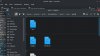
This don't work for me, maybe The patch is wrong, i have apwaad this error, but The file existI gave you enough pointers to find it yourself (the topic is still on the front page of the Linux forum). Anyway, this is the message were somebody who runs M1 fixed the tools for themselves: https://forum.parallels.com/threads...s-tools-16-1-3-4960.352695/page-2#post-888046 -- in the future, please try to put a bit of an effort to search the forum yourself.
Attachments


(GalaxyMaster)
Hunter
Man, I don't know how to help you. You did not even provide the command you were running. According to the patch output, it is likely that you did not strip enough (or stripped too much) of the patch path names. The idea is that you need to be in the top directory of the Parallels Tools driver source tree (the directory where you unpack the archive to) and then run "patch -p1 < path_to_the_patch_file". This is how that directory looks like:
Code:
[root@archlinux parallels-tools-16.5.1.49187]# ls -la
total 36
drwx------ 7 root root 4096 Jul  2 18:14 .
drwxr-xr-x 7 root root 4096 Aug  4 13:31 ..
-rw------- 1 root root  956 Jul  2 18:14 dkms.conf
-rw------- 1 root root 1638 Jul  2 18:14 Makefile.kmods
drwx------ 3 root root 4096 Jul  2 18:14 prl_eth
drwx------ 3 root root 4096 Jul  2 18:14 prl_fs
drwx------ 3 root root 4096 Jul  2 18:14 prl_fs_freeze
drwx------ 3 root root 4096 Jul  2 18:14 prl_tg
drwx------ 3 root root 4096 Jul  2 18:14 prl_vid
[root@archlinux parallels-tools-16.5.1.49187]#I have followed this guide and in step 9 I was in tools_cd and then I had the error that you see, I run patch -p1 < and I paste the path to the patch that you linked to me(obviously, I downloaded the patch from the link). This is the output of ls -laMan, I don't know how to help you. You did not even provide the command you were running. According to the patch output, it is likely that you did not strip enough (or stripped too much) of the patch path names. The idea is that you need to be in the top directory of the Parallels Tools driver source tree (the directory where you unpack the archive) and then run "patch -p1 < path_to_the_patch_file". This is how that directory looks like:
Code:[root@archlinux parallels-tools-16.5.1.49187]# ls -la total 36 drwx------ 7 root root 4096 Jul 2 18:14 . drwxr-xr-x 7 root root 4096 Aug 4 13:31 .. -rw------- 1 root root 956 Jul 2 18:14 dkms.conf -rw------- 1 root root 1638 Jul 2 18:14 Makefile.kmods drwx------ 3 root root 4096 Jul 2 18:14 prl_eth drwx------ 3 root root 4096 Jul 2 18:14 prl_fs drwx------ 3 root root 4096 Jul 2 18:14 prl_fs_freeze drwx------ 3 root root 4096 Jul 2 18:14 prl_tg drwx------ 3 root root 4096 Jul 2 18:14 prl_vid [root@archlinux parallels-tools-16.5.1.49187]#
Attachments

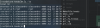
I have followed this guide and in step 9 I was in tools_cd and then I had the error that you see, I run patch -p1 < and I paste the path to the patch that you linked to me(obviously, I downloaded the patch from the link). This is the output of ls -la
sorry, this is the output of ls -la. from the main directory, not from kmods, this is ls -la of kmods
Attachments
(GalaxyMaster)
Hunter
I was able to compile prltools-17.0.0 for arm on Fedora 34 (kernel 5.13.8 at the moment). Shared folders and copy/paste are working. DVD mounting is not working, and the ~3 minute delay at startup that I saw with kernels 5.10+ (with or without prltools) is still present.
Note that due to the dvd mounting issue, I needed to scp the prltools into the VM before building them,
Note that due to the dvd mounting issue, I needed to scp the prltools into the VM before building them,
(GalaxyMaster)
Hunter
The delay is likely attributed to the recent changes in systemd's udev subsystem. On Arch Linux, there was a brief moment when this was happening, but then the new version of systemd package fixed it. It usually manifests itself by sitting at ":: trigerring uevents ..." line for at least a minute. JFYI. If you see something different (or don't see anything in the VMs console at all) during the delay, then I have not stumbled upon your issue and cannot comment on it.
Thanks for the insight. At least in my case most of the delay was observed while seeing "Reached target Initrd Root Device" on the console. Other parts of the boot sequence took longer than seemed reasonable, but that was by far the longest (~2 minutes).
My most recent dnf upgrade seems to have brought things back to normal. There may be other components involved, but the kernel is 5.13.10. The VM boots quickly, I can mount ISO images on the DVD, and the CPU stays cool if I'm not doing much in the guest. All with an unpatched prltools, on arm
At the moment I'm a happy Parallels customer, at least until the next major kernel update
My most recent dnf upgrade seems to have brought things back to normal. There may be other components involved, but the kernel is 5.13.10. The VM boots quickly, I can mount ISO images on the DVD, and the CPU stays cool if I'm not doing much in the guest. All with an unpatched prltools, on arm
At the moment I'm a happy Parallels customer, at least until the next major kernel update